Author: David Evestaff

  • Microsoft Copilot in Your Business: 3 Quick Wins and 3 Hidden Risks to Manage First

    Microsoft Copilot in Your Business: 3 Quick Wins and 3 Hidden Risks to Manage First

    Microsoft Copilot is everywhere right now. If you're running a small or medium-sized business in the UK, chances are you've already heard the buzz: or you've got team members asking when they can start using it. The promise is compelling: AI-powered assistance baked right into the Microsoft 365 tools your team already uses daily.

    But before you roll it out company-wide, it's worth understanding both sides of the equation. Copilot can genuinely transform how your business operates, but it also introduces risks that many companies don't consider until it's too late.

    Let's walk through three quick wins you can expect, and three hidden risks you need to manage from day one.

    The Quick Wins: Where Copilot Delivers Real Value

    1. Dramatic Speed in Document and Content Creation

    If your team spends hours every week drafting proposals, summarising meeting notes, or pulling together reports, Copilot can slash that time dramatically. It doesn't just generate text from scratch: it intelligently pulls from your existing Microsoft 365 environment, including emails, Teams chats, SharePoint documents, and calendar entries.

    Microsoft Copilot automating document creation with data from Microsoft 365 apps

    For example, you can ask Copilot to draft a client proposal based on last week's meeting notes and the pricing sheet saved in SharePoint. What used to take an afternoon can now be done in minutes. Real-world case studies show businesses reducing content creation time from weeks to just days, particularly when dealing with complex data that needs summarising.

    This isn't just convenient: it's a competitive advantage. When you can respond to opportunities faster than your competitors, you win more business.

    2. Measurable Cost Reduction Through Automation

    One of the most tangible benefits is cost savings. Businesses implementing Copilot are reporting operating cost reductions between 1% and 20%, with an average saving of around 17% through AI-driven process automation.

    How? By eliminating repetitive administrative tasks that eat up your team's time. Think about all the hours spent:

    • Summarising lengthy email threads for latecomers
    • Formatting and reformatting documents
    • Searching through files to find specific information
    • Manually creating first drafts of routine communications

    Copilot handles these tasks in seconds, freeing your team to focus on work that actually generates revenue. And because it's built into your existing Microsoft 365 subscription (with the Copilot add-on), you're not paying for multiple standalone AI tools.

    For property management companies working with our partners at Property Inventory Clerks, this kind of automation is particularly valuable. When you're managing hundreds of detailed property reports and need to maintain accurate digital records, AI-assisted document management can be transformative.

    3. Faster Decision-Making with Data Insights

    Business executive analyzing data dashboards and insights with Microsoft Copilot

    This is where Copilot really shines for leadership teams. It can analyse your company-specific data: sales figures, customer feedback, project timelines: and surface actionable insights without requiring deep technical skills or analytics expertise.

    You can ask questions like "What are the top three customer complaints this quarter?" or "Which projects are running over budget?" and get immediate, data-driven answers. Studies suggest this capability can increase net revenue by up to 6% simply by enabling faster time to market and more responsive customer service.

    When decisions are based on real data rather than gut feeling, you make better choices. And when those insights are available in seconds rather than days, you move faster than your competition.

    The Hidden Risks: What Most Businesses Miss

    1. Data Governance and Oversharing

    Here's the risk nobody talks about enough: Copilot can only see what your Microsoft 365 permissions allow it to see. If your file sharing and permissions are messy: and let's be honest, most small businesses have at least some chaos in SharePoint: Copilot might surface sensitive information to people who shouldn't have access to it.

    Imagine an employee asks Copilot to summarise all communications about a specific client. If that employee technically has access to confidential salary discussions or legal matters because permissions were never properly locked down, Copilot will happily include that information in its response.

    What to do: Before rolling out Copilot, conduct a thorough audit of your Microsoft 365 permissions. Make sure sensitive files are properly restricted, and consider implementing data loss prevention (DLP) policies to add an extra layer of protection.

    2. Over-Reliance and Accuracy Concerns

    Data security risks and governance challenges with AI tools in business

    Copilot is impressive, but it's not infallible. It can occasionally "hallucinate": generating information that sounds plausible but isn't actually accurate. If your team starts treating Copilot outputs as gospel without verification, you're setting yourself up for embarrassing mistakes.

    The risk is particularly high with:

    • Financial data and calculations
    • Legal or compliance-related content
    • Technical specifications
    • Customer-facing communications

    A fabricated statistic in a client proposal or an incorrect figure in a board report can damage your credibility and cost you business.

    What to do: Establish a clear policy that all Copilot-generated content must be reviewed and verified before being used externally. Train your team to use Copilot as a productivity assistant, not a replacement for critical thinking.

    3. Training and Adoption Challenges

    The biggest risk might be the simplest: your team doesn't actually use it effectively. Copilot isn't intuitive for everyone, and without proper training, you'll have employees either ignoring it entirely or using it incorrectly: both of which waste the investment.

    You'll also face resistance from team members who are either uncomfortable with AI or worried about job security. If you don't address these concerns head-on, adoption rates will be low and you won't see the ROI you're expecting.

    Human verification of AI-generated content to ensure accuracy in business documents

    What to do: Invest in structured training sessions that go beyond the basics. Show your team specific use cases relevant to their daily work. Create internal documentation with examples and best practices. Most importantly, have leadership visibly use and champion Copilot: adoption always starts at the top.

    Getting Implementation Right

    The difference between Copilot being a game-changer or an expensive disappointment comes down to implementation. You need a structured approach that addresses both the technical setup and the human side of adoption.

    This means:

    • Technical preparation: Permission audits, DLP policies, security reviews
    • Strategic rollout: Phased implementation starting with power users
    • Ongoing training: Regular workshops and support resources
    • Clear policies: Guidelines on appropriate use and verification requirements
    • Performance metrics: Tracking actual productivity gains and ROI

    Is Your Business Ready?

    Microsoft Copilot can absolutely transform how your business operates: but only if you approach it strategically. The businesses seeing the best results are those that plan carefully, address risks proactively, and invest in proper training.

    If you're considering Copilot for your organisation but aren't sure where to start, we can help. At Evestaff IT Support and Consultancy, we specialise in helping UK SMBs implement Microsoft 365 tools effectively, with proper governance and security from day one.

    Book a discovery call with us to discuss your specific situation. We'll assess your current Microsoft 365 environment, identify potential risks, and create a roadmap for successful Copilot adoption that actually delivers the productivity gains you're expecting.

    The AI revolution is here: let's make sure your business benefits from it safely.

  • How to Stop Your Team Getting Phished: 5 Microsoft 365 Settings to Enable Today

    How to Stop Your Team Getting Phished: 5 Microsoft 365 Settings to Enable Today

    Phishing attacks are the number one threat facing UK businesses in 2026. Every day, your team is being tested: sometimes dozens of times: by emails designed to steal credentials, deploy ransomware, or trick staff into transferring money to fraudsters.

    The good news? If you're running Microsoft 365, you already have some of the most powerful anti-phishing tools available baked into your subscription. The bad news? Most of them aren't switched on by default.

    Let's fix that. Here are five essential Microsoft 365 settings you should enable today to dramatically reduce your team's exposure to phishing attacks.

    Multi-factor authentication on smartphone showing password and fingerprint verification for Microsoft 365 security

    1. Multi-Factor Authentication (MFA) : Your First Line of Defence

    If you do nothing else after reading this post, enable MFA across your entire organisation.

    Multi-factor authentication requires users to verify their identity using something they know (their password) and something they have (a mobile device or authentication app). Even if an attacker successfully phishes a password, they won't be able to access the account without that second factor.

    Microsoft's own data shows that MFA blocks over 99.9% of account compromise attacks. It's not perfect, but it's the single most effective security control you can deploy.

    How to enable it:

    Head to the Microsoft 365 admin centre, navigate to Users > Active Users, and enable MFA for all accounts. You can also set up Conditional Access policies in Azure AD to require MFA based on location, device, or risk level.

    Don't allow exceptions for "just the CEO" or "just finance." Those are the exact accounts attackers target first.

    2. Safe Links : Stop Malicious URLs Before They're Clicked

    Phishing emails are getting cleverer. Attackers now host malicious links on legitimate platforms like SharePoint, OneDrive, or Google Drive to evade basic URL filtering. By the time your user clicks the link, it's often too late.

    Safe Links is part of Microsoft Defender for Office 365 (formerly Advanced Threat Protection). It rewrites URLs in emails and scans them in real-time when clicked. If the destination is malicious, the user is blocked from accessing it: even if the link looked perfectly safe when the email arrived.

    Organisations using Safe Links have reported up to a 90% reduction in successful phishing attacks. It's particularly effective against zero-day phishing campaigns where attackers use fresh domains that haven't yet been blacklisted.

    How to enable it:

    Go to the Microsoft 365 Defender portal at https://security.microsoft.com. Under Email & Collaboration > Policies & Rules > Threat Policies, create or edit an anti-phishing policy and enable Safe Links for email, Teams, and Office documents.

    Make sure "Track user clicks" is enabled so you can see which users are being targeted and provide additional training where needed.

    Protected email envelope with security shield illustrating Microsoft 365 Safe Links phishing protection

    3. Spoof Intelligence : Detect Forged Sender Addresses

    Spoofing is one of the oldest tricks in the phishing playbook. An attacker sends an email that appears to come from your CEO, your finance director, or a trusted supplier, hoping the recipient won't notice the subtle differences in the sender address.

    Spoof intelligence goes beyond traditional email authentication protocols like SPF, DKIM, and DMARC. It uses machine learning to analyse email patterns and detect when a sender address has been forged: even if the email technically passes authentication checks.

    It's enabled by default in Microsoft 365, but you need to configure the action it takes when spoofing is detected.

    How to configure it:

    In the Microsoft 365 Defender portal, navigate to Anti-phishing policies. Set the action for spoofed emails to Quarantine rather than just moving them to Junk. This ensures suspicious emails are reviewed by an admin before reaching end users.

    You should also configure your DMARC policy to reject emails that fail authentication checks. This prevents attackers from successfully impersonating your own domain when sending emails to your staff or customers.

    4. Impersonation Protection : Guard Your VIPs

    Not all phishing attacks involve fake sender addresses. Some of the most dangerous use slight variations of real names or domains that are easy to miss in a busy inbox.

    For example:

    Impersonation protection allows you to specify high-value users and domains that should be closely monitored. If someone tries to send an email using a similar name or domain, Microsoft 365 will flag it or quarantine it automatically.

    This is particularly important for protecting executives, finance teams, and anyone with authority to approve payments or share sensitive information. We've seen this setting save clients in property management: including those using specialist tools like propertyinventoryclerks.co.uk for compliance work: from costly invoice fraud schemes.

    How to enable it:

    In your Anti-phishing policy, add users to protect (your CEO, CFO, IT team) and domains to protect (your primary domain and any trusted partner domains). Set the action to Quarantine for suspected impersonation attempts.

    This setting isn't enabled by default, so you'll need to manually configure it: but it's worth the 10 minutes it takes.

    Comparison of genuine and fraudulent business cards showing email impersonation detection

    5. Mailbox Intelligence : Let AI Spot the Patterns

    Mailbox intelligence is the unsung hero of Microsoft 365's anti-phishing toolkit. It works alongside impersonation protection to analyse the typical communication patterns of each user.

    If someone who normally emails your finance director once a quarter suddenly sends an urgent payment request, mailbox intelligence flags it. If an external sender mimics the writing style of a trusted supplier but uses a slightly different domain, it catches that too.

    It's essentially behavioural analysis for email: and it's frighteningly effective at catching sophisticated spear-phishing attempts that bypass traditional filters.

    How to enable it:

    Mailbox intelligence is enabled automatically when you configure impersonation protection. Make sure the toggle is switched on in your anti-phishing policy settings, and review quarantined messages regularly to fine-tune the AI and reduce false positives.

    Executive nameplate under protective cover representing VIP impersonation protection in Microsoft 365

    Bonus Tip: Enable Mailbox Auditing

    While not strictly an anti-phishing setting, mailbox auditing is critical for forensics and compliance. If a phishing attack succeeds, you need to know what the attacker accessed, which emails they read, and whether they forwarded anything externally.

    Mailbox auditing is now enabled by default for all Microsoft 365 mailboxes, but it's worth double-checking. You can view audit logs in the Microsoft 365 Compliance Center to track mailbox access, message deletions, and permission changes.

    This is particularly useful if you're subject to regulatory requirements (GDPR, FCA, Cyber Essentials) or if you need to demonstrate due diligence after a security incident.

    Putting It All Together

    Phishing isn't going away. If anything, attackers are getting better at bypassing traditional defences and exploiting human psychology. But with the right Microsoft 365 settings enabled, you can make your organisation a much harder target.

    Here's your action plan:

    1. Enable MFA for all users: no exceptions.
    2. Turn on Safe Links to scan URLs in real-time.
    3. Configure spoof intelligence to quarantine forged emails.
    4. Protect high-value users with impersonation protection.
    5. Enable mailbox intelligence to catch behavioural anomalies.

    These settings take less than an hour to configure, and the risk reduction is immediate.

    If you're not sure where to start: or if you'd rather have an expert handle your Microsoft 365 security configuration: we can help. Book a free discovery call at https://itandconsutancy.co.uk, and we'll walk you through exactly what's enabled, what's missing, and what should be your top priority.

    Your team deserves better than hoping phishing emails end up in the junk folder. Give them the protection they need.

  • Outsourced IT Director vs. Traditional MSP: Which Model Saves UK SMBs More Money?

    Outsourced IT Director vs. Traditional MSP: Which Model Saves UK SMBs More Money?

    For most UK SMBs, IT support isn't optional, it's a survival mechanism. But here's the problem: choosing the wrong IT model can quietly drain your budget without delivering the strategic oversight your business actually needs.

    You've probably heard of Managed Service Providers (MSPs). They're the go-to for most small and medium-sized businesses. But there's another model that's gaining traction among growth-focused UK SMBs: the outsourced IT Director.

    So which one saves you more money? More importantly, which one delivers better long-term value? Let's break it down.

    What Is a Traditional MSP?

    A traditional MSP operates on a ticket-based support model. Your team encounters an IT issue, they raise a ticket, and the MSP resolves it. Most MSPs also offer proactive monitoring, patch management, and backup solutions as part of a monthly subscription.

    It's a reactive service with some preventative elements baked in.

    Typical UK MSP pricing:

    • Basic support: £35–£95 per user per month (remote helpdesk, basic monitoring)
    • Standard managed services: £95–£150 per user per month (comprehensive monitoring, security, backup)
    • Premium services: £150–£220 per user per month (advanced security, 24/7 support, limited strategic consulting)

    For a 20-employee business, that's between £14,400 and £52,800 annually. For a 200-user organisation, you're looking at roughly £144,000 per year for traditional MSP services.

    Two pathways showing MSP operational support versus strategic IT Director leadership approach

    MSPs excel at keeping the lights on. They're brilliant for break-fix scenarios, routine maintenance, and ensuring your systems don't catastrophically fail. But here's what they don't typically do: align your IT infrastructure with your business strategy.

    What Is an Outsourced IT Director?

    An outsourced IT Director (sometimes called a virtual CTO or fractional IT Director) is a senior-level IT professional who works with your business on a part-time or retained basis. They don't fix tickets. Instead, they sit at the strategic table and make sure your technology investments drive business outcomes.

    Think of them as the difference between a mechanic and a transport consultant. One fixes your vehicle when it breaks down. The other designs your entire fleet strategy, optimises costs, ensures compliance, and plans for growth.

    What an outsourced IT Director actually does:

    • Develops and maintains your IT strategy and roadmap
    • Oversees vendors, MSPs, and internal IT staff
    • Manages budgets and forecasts technology spend
    • Ensures compliance with regulations (GDPR, Cyber Essentials, industry-specific requirements)
    • Leads digital transformation initiatives
    • Acts as a liaison between technical teams and senior leadership
    • Plans for scalability, disaster recovery, and business continuity

    They're not replacing your MSP. They're managing your MSP, and every other element of your technology ecosystem.

    The Cost Comparison: What Are You Actually Paying For?

    Let's get specific. A 50-employee UK SMB might pay:

    Traditional MSP (standard tier): £95 per user × 50 users = £4,750/month or £57,000/year

    Outsourced IT Director: Typically £2,000–£5,000/month depending on scope and industry = £24,000–£60,000/year

    At first glance, these numbers look similar. But here's where it gets interesting.

    IT budget comparison desk with calculator and British pounds for SMB cost analysis

    An outsourced IT Director doesn't replace your MSP, they work alongside them. For many businesses, the optimal model is a hybrid: a mid-tier MSP handling day-to-day operations (£50–£80 per user/month) plus an outsourced IT Director providing strategic oversight.

    Hybrid model cost for 50 users:

    • MSP (mid-tier): £70 × 50 = £3,500/month = £42,000/year
    • Outsourced IT Director: £3,000/month = £36,000/year
    • Total: £78,000/year

    That's £21,000 more than the traditional MSP-only model. So why would you spend more?

    The ROI That Traditional MSPs Can't Deliver

    Here's the reality: most UK SMBs waste 20–30% of their IT budget on redundant software, over-specced infrastructure, or poorly negotiated contracts. An outsourced IT Director identifies and eliminates this waste.

    Real-world example:

    A 75-employee logistics company in Kent was paying a premium MSP £150/user/month (£135,000/year). When they brought in an outsourced IT Director for £42,000/year, he immediately:

    • Renegotiated their Microsoft 365 licensing, saving £18,000/year
    • Moved them from a premium MSP to a mid-tier provider with better SLAs, saving £54,000/year
    • Consolidated three overlapping cybersecurity tools into one, saving £9,600/year
    • Implemented a 3-year technology roadmap that avoided £40,000 in emergency server replacements

    Total first-year savings: £121,600

    Cost of IT Director: £42,000

    Net savings: £79,600

    That's the strategic value a traditional MSP simply can't provide, because they're incentivised to sell you more services, not optimise what you already have.

    Balanced scale representing operational IT tasks and strategic leadership value for UK SMBs

    When a Traditional MSP Is the Right Choice

    Let's be clear: not every business needs an outsourced IT Director. If your organisation falls into any of these categories, a solid MSP might be all you need:

    • Under 20 employees with straightforward IT requirements
    • Stable operations with no major growth or transformation plans
    • Limited budget where every pound counts and you need basics covered first
    • Low IT complexity (basic Microsoft 365, minimal cloud infrastructure, no compliance requirements)

    A good MSP will keep your systems running, your data backed up, and your team productive. For many small businesses, that's exactly what success looks like.

    When an Outsourced IT Director Makes Financial Sense

    You should seriously consider an outsourced IT Director if:

    • You're planning significant growth (new locations, headcount expansion, acquisitions)
    • You're in a regulated industry (finance, healthcare, legal, real estate) with compliance obligations
    • You're spending over £50,000/year on IT without a clear understanding of ROI
    • You're managing multiple vendors (MSP, telephony provider, software vendors, cloud services)
    • You've experienced repeated IT failures or security incidents despite having an MSP
    • Your leadership team struggles to understand technology risks and opportunities

    For businesses like property management firms, where compliance, data security, and operational efficiency are critical, an outsourced IT Director can be transformational. In fact, organisations like propertyinventoryclerks.co.uk benefit enormously from having senior IT oversight that understands both the technology landscape and the unique pressures of the property sector.

    The Hybrid Model: Best of Both Worlds

    For most UK SMBs with 30–200 employees, the sweet spot is a hybrid approach:

    Outsourced IT Director provides:

    • Strategic planning and governance
    • Vendor management and contract negotiation
    • Compliance oversight and risk management
    • Technology roadmap and budget planning

    Mid-tier MSP provides:

    • Day-to-day helpdesk support
    • Proactive monitoring and maintenance
    • Cybersecurity operations
    • Backup and disaster recovery

    Professional handshake symbolising hybrid IT model partnership between MSP and IT Director

    This model gives you the strategic thinking of a £100,000+ salaried IT Director at a fraction of the cost, while maintaining the operational excellence of a quality MSP.

    What About Internal IT Staff?

    If you already have an internal IT person or small team, an outsourced IT Director can multiply their effectiveness. Your internal staff focuses on day-to-day operations and user support, while the IT Director handles strategy, vendor relationships, and senior leadership communication.

    It's a force multiplier that prevents your talented internal IT people from drowning in firefighting mode.

    Making the Right Choice for Your Business

    The question isn't really "MSP or IT Director?", it's "What combination of IT leadership and operational support does my business actually need?"

    Start by asking yourself:

    • Do we understand exactly what we're paying for with our current IT provider?
    • Can we clearly articulate our IT strategy for the next 12–36 months?
    • Are we confident our technology investments align with our business goals?
    • Do we have a comprehensive plan for cybersecurity, compliance, and disaster recovery?

    If you answered "no" to more than one of these questions, you likely need strategic IT leadership: not just technical support.

    Next Steps

    The right IT model depends on your specific circumstances, growth plans, and risk profile. What works for a 15-person consultancy won't work for a 100-person logistics operation.

    At Evestaff IT Support and Consultancy, we help UK SMBs navigate exactly these decisions. Whether you need a strategic outsourced IT Director, a reliable MSP partner, or a hybrid model tailored to your business, we can design a solution that delivers measurable value.

    Book a no-obligation discovery call at itandconsutancy.co.uk and let's assess what model makes the most financial sense for your organisation. We'll give you an honest answer: even if that means recommending a different approach than the one you came in expecting.

    Because the best IT investment isn't the cheapest one. It's the one that actually moves your business forward.

  • Hybrid Cloud for SMEs: Finding the Balance Between Cost and Security

    Hybrid Cloud for SMEs: Finding the Balance Between Cost and Security

    For UK SMEs navigating the cloud landscape in 2026, the conversation has shifted from "should we move to the cloud?" to "which cloud approach makes the most sense?" While fully public cloud solutions promise simplicity and fully private setups offer control, hybrid cloud has emerged as the practical middle ground: particularly for businesses that need to balance tight budgets with serious security requirements.

    The appeal is straightforward: keep your most sensitive data close to home while leveraging the scalability and cost-efficiency of public cloud for everything else. But as with most IT decisions, the devil is in the details. Let's explore why hybrid cloud is gaining traction among UK SMEs and what it takes to make it work without breaking the bank or compromising security.

    Understanding the Hybrid Cloud Model

    At its core, hybrid cloud means running some workloads on private infrastructure (either on-premises or in a dedicated private cloud) while using public cloud services for others. Think of it as having your own secure filing cabinet for confidential documents whilst using a shared storage facility for general supplies.

    Hybrid cloud architecture connecting private infrastructure with public cloud services

    The key difference from a simple "mixed IT environment" is the integration. True hybrid cloud involves orchestration and management tools that allow workloads to move between environments as needed, with consistent security policies and unified monitoring across both.

    For SMEs, this typically looks like maintaining a private server or dedicated hosting for customer databases, financial records, or proprietary applications, whilst running development environments, email systems, and collaboration tools on public cloud platforms like Microsoft Azure or AWS.

    The Cost Case: Paying Only for What You Need

    The financial attraction of hybrid cloud starts with avoiding massive capital expenditure. Instead of buying enough server capacity to handle peak demand: equipment that sits idle most of the time: you can maintain just enough private infrastructure for baseline operations and critical systems.

    When demand spikes, whether that's seasonal rush periods or one-off projects, you scale up using public cloud resources on a pay-as-you-go basis. Once the spike passes, you scale back down. This elasticity means you're not paying to keep the lights on for capacity you're not using.

    Additionally, hybrid cloud provides a migration path that protects existing investments. If you've already spent money on physical servers that still have useful life, you don't need to write them off immediately. Instead, you can gradually shift appropriate workloads to the cloud whilst continuing to use existing infrastructure where it makes sense.

    For businesses in sectors like property management: similar to how propertyinventoryclerks.co.uk manages detailed inventory documentation: this means you can keep tenant data secure on private infrastructure whilst using public cloud for scheduling tools, team collaboration, and automated reporting systems that don't handle sensitive information.

    Cost optimization through strategic hybrid cloud workload placement for SMEs

    Security Benefits: Data Segregation and Control

    The security advantage of hybrid cloud centres on one powerful principle: not all data needs the same level of protection, but your most sensitive information deserves the highest level of control.

    By keeping regulated or confidential data on private infrastructure, you maintain direct oversight of physical security, access controls, and encryption. This is particularly valuable for businesses handling financial information, personal data under UK GDPR requirements, or intellectual property.

    Meanwhile, less sensitive workloads can take advantage of the robust security offerings from major public cloud providers: many of which invest far more in security infrastructure than any SME could afford independently.

    This segregated approach also simplifies compliance. If you're subject to specific regulatory requirements about data location or access controls, you can ensure compliant data stays in your private environment whilst still benefiting from cloud services for everything else.

    Secure vault protecting sensitive data in hybrid cloud environment

    Business continuity is another significant security advantage. Critical data backed up to the public cloud remains accessible even if your on-premises hardware fails. This redundancy across environments minimises downtime and provides options for disaster recovery that would be prohibitively expensive to build entirely in-house.

    The Hidden Complexity Tax

    Here's where hybrid cloud gets interesting: and where many SMEs encounter unexpected challenges. The same flexibility that makes hybrid cloud appealing also introduces management complexity that can erode cost savings if not properly handled.

    Running workloads across two different environments means you need integration tools, orchestration platforms, and consistent security policies spanning both. Each of these components costs money, whether through licensing fees, implementation time, or ongoing maintenance.

    You'll also need expertise. Hybrid cloud isn't something most SMEs can successfully manage without either hiring dedicated cloud engineers or partnering with experienced IT consultancy firms. The orchestration, monitoring, and security management required across hybrid environments demands specialised knowledge.

    Without proper management, you risk ending up with the worst of both worlds: the complexity of managing multiple environments without realising the cost savings or security benefits that justified the approach in the first place.

    Making Hybrid Cloud Work: Practical Steps

    Success with hybrid cloud requires treating it as a strategic architecture decision, not just a technology purchase. Here's how to approach it:

    Start with a workload assessment. Map your applications and data to understand what genuinely needs private infrastructure versus what can safely run on public cloud. Be honest about compliance requirements: not everything that feels "important" actually requires private hosting.

    Calculate total cost of ownership properly. Look beyond infrastructure costs to include licensing, bandwidth, management tools, staff training, and ongoing support. Compare this realistic total against both fully public and fully private alternatives.

    Complex integration of hybrid cloud management systems and orchestration tools

    Invest in management tools upfront. Sophisticated orchestration and monitoring aren't optional extras: they're essential to making hybrid cloud function effectively. Cutting corners here typically leads to security gaps and operational inefficiencies that cost more than the tools would have.

    Plan for expertise. Whether through hiring, training, or partnering with consultants, ensure you have access to people who understand hybrid cloud architecture, not just general IT administration.

    Implement continuous monitoring. Security across hybrid environments requires constant vigilance. Regular audits, automated monitoring, and incident response procedures should span both your private and public infrastructure.

    When Hybrid Cloud Makes Sense

    Hybrid cloud isn't the right answer for every SME. It works best when you have:

    • Legacy systems or recent infrastructure investments you want to protect
    • Specific regulatory requirements around data location or control
    • Workloads with predictable baseline demand but variable peak requirements
    • Sensitive data that justifies the complexity of segregated infrastructure
    • Budget for proper management tools and expertise

    For businesses with straightforward cloud needs and no compelling reason to maintain private infrastructure, a well-architected public cloud solution might be simpler and more cost-effective.

    Getting Expert Guidance

    The technical and strategic considerations around hybrid cloud architecture aren't always straightforward. Working with experienced IT consultants can help you assess whether hybrid cloud genuinely fits your needs and, if so, design an implementation that delivers on both cost savings and security without introducing unmanageable complexity.

    If you're evaluating cloud strategies for your business, a discovery call with cloud architecture specialists can provide clarity on your specific situation and help you avoid costly missteps. You can arrange a consultation at https://itandconsutancy.co.uk to discuss your requirements and explore whether hybrid cloud: or another approach: makes the most sense for your organisation.

    The Bottom Line

    Hybrid cloud offers UK SMEs a genuine opportunity to balance cost efficiency with security and control, but only when implemented thoughtfully. The key is recognising that management and security aren't afterthoughts: they're integral to whether hybrid cloud will actually deliver value for your business.

    For the right organisations with appropriate workloads and proper support, hybrid cloud provides flexibility that neither fully public nor fully private approaches can match. For others, the complexity might outweigh the benefits. Understanding which category your business falls into is the first step toward making a cloud strategy decision that genuinely serves your needs rather than creating new problems to solve.

  • Still Running Windows 10 in 2026? 7 Risks Your Business Is Taking Right Now

    Still Running Windows 10 in 2026? 7 Risks Your Business Is Taking Right Now

    Windows 10 support officially ended on October 14, 2025. If your business is still running it in 2026, you're not just working with outdated software: you're actively exposing your company to security breaches, compliance failures, and mounting operational costs.

    It's easy to justify staying put. "Everything still works," "We'll upgrade next quarter," or "The budget's tight right now" are common responses. But every day you delay increases the risk. Here are seven specific dangers your business is facing right now.

    1. Permanent Security Vulnerabilities

    Once Microsoft ended support, every newly discovered vulnerability in Windows 10 became permanent. There are no more free security patches. None.

    Attackers know this and actively exploit it. Take the recent example of Storm-2460, a threat group that exploited a zero-day vulnerability (CVE-2025-29824) in the Common Log File System driver. They used it to escalate privileges, deploy backdoors, and launch ransomware campaigns across multiple industries: including IT, real estate, finance, retail, and software development.

    Broken security lock representing Windows 10 unpatched vulnerabilities and cyber threats

    That vulnerability won't be patched on your Windows 10 machines. Ever. And it's not the only one. Every week, security researchers discover new flaws in older systems. Your competitors running Windows 11 get those patches automatically. You don't.

    2. Ransomware and Credential Theft Are Now Easier

    Cybercriminals build automated tools specifically designed to scan for outdated systems. They know unsupported Windows 10 machines lack modern defenses, making them easier targets for ransomware and credential theft.

    A single compromised workstation can spread an attack across your entire network. Customer data, payment information, internal records: everything becomes accessible. And because Windows 10 no longer receives security updates, your antivirus software is working harder with one hand tied behind its back.

    Ransomware doesn't care about company size. Whether you're a five-person accountancy firm or a logistics company managing hundreds of shipments daily, you're a target. The question isn't if you'll be attacked, but when: and whether your defences will hold.

    3. Compliance Violations Are Mounting

    If your business operates in a regulated industry, you're likely already non-compliant or close to it.

    HIPAA, PCI-DSS, SOC 2, and other frameworks increasingly reject unsupported operating systems. Auditors and regulators view Windows 10 as unacceptable because it no longer receives security updates. For healthcare providers, financial institutions, and businesses handling sensitive customer data, this creates immediate compliance exposure.

    Laptop displaying ransomware code showing Windows 10 compliance and security risks

    Cyber insurance providers are also tightening their policies. Many now explicitly exclude claims tied to outdated infrastructure. If you suffer a breach while running Windows 10, your insurer may deny the claim entirely: leaving you to cover the full cost of recovery, legal fees, and regulatory fines.

    For businesses like those in property management: where client data security is paramount: this risk is particularly acute. Even companies like Property Inventory Clerks that handle sensitive tenant and landlord information need secure, compliant systems to protect their reputation and meet regulatory standards.

    4. Software Compatibility Is Failing

    Vendors are moving forward without you. Many applications now refuse to update or install on Windows 10.

    You might find your accounting software won't sync with the cloud. New hardware drivers fail to install. Security tools designed for modern threats won't run properly. Even everyday productivity software starts lagging behind, missing features your competitors are using to work faster and smarter.

    This isn't theoretical. Businesses report critical tools becoming unstable or incompatible, forcing workarounds that waste time and create inefficiencies. Over the next 12 months, this problem will accelerate as more vendors drop Windows 10 from their supported platforms list.

    5. Performance and Stability Are Deteriorating

    Bug fixes stopped when support ended. Small issues that Microsoft used to correct through regular updates now linger indefinitely, gradually affecting performance and stability.

    Even fully patched Windows 10 systems struggle with:

    • Newer software designed for Windows 11
    • Updated security tools requiring modern OS features
    • Cloud services optimised for current platforms
    • Vendor support policies that assume you're running supported software

    Compliance certificate with warning stamp indicating Windows 10 regulatory violations

    Users notice the difference. Slow boot times. Applications freezing. Files taking longer to open. These aren't just minor annoyances: they add up to lost productivity every single day.

    6. You've Lost All Technical Support

    If something goes wrong and the root cause traces back to the operating system, Microsoft won't help. Official support ended with the lifecycle deadline.

    For businesses without dedicated IT teams, this creates serious vulnerability. When a critical system fails, you're on your own to troubleshoot, diagnose, and fix it: or pay premium rates for third-party support that may not have access to the tools and documentation Microsoft previously provided.

    Even with an internal IT team, the absence of vendor support increases resolution times and creates uncertainty about whether problems can be fixed at all.

    7. Hidden Financial Costs Keep Growing

    Staying on Windows 10 might seem like the budget-friendly choice, but it typically costs more in the long run.

    Hidden costs include:

    • Emergency IT support when systems fail unexpectedly
    • Recovery expenses after malware or ransomware incidents
    • Lost revenue during unplanned downtime
    • Higher labour costs from inefficient, outdated systems
    • Forced hardware purchases during crisis situations

    In industries dependent on operational technology: manufacturing, logistics, utilities: a single ransomware attack or failed upgrade can shut down production for days or weeks. Downtime costs range from £30,000 to over £2 million per hour depending on sector and facility size.

    Rushed emergency upgrades are almost always more expensive than planned transitions. You lose the ability to schedule properly, test configurations, train staff, and control the migration process. What could have been a smooth, managed rollout becomes a chaotic scramble with unpredictable costs.

    Time to Move Forward

    Windows 10 served businesses well for nearly a decade. But that era is over.

    Every day you delay upgrading increases your exposure to security breaches, compliance violations, and operational failures. The costs of staying put: both visible and hidden: far exceed the investment required to migrate properly.

    Outdated versus modern computer hardware comparison showing Windows 10 upgrade benefits

    If you're unsure where to start or need help planning a migration that won't disrupt your business, book a discovery call with our team. We'll assess your current infrastructure, identify risks specific to your business, and create a migration roadmap that fits your budget and timeline.

    Don't wait until a breach, compliance failure, or system crash forces your hand. The longer you delay, the more expensive and disruptive the upgrade becomes.


    SEO Tags: Windows 10 end of life, Windows 10 security risks 2026, Windows 11 migration, business cybersecurity, IT compliance, ransomware prevention, operating system upgrade, Windows 10 support ended, small business IT security, cyber insurance compliance

  • The SME Guide to 2026 UK Data Privacy: Staying Compliant Without the Stress

    The SME Guide to 2026 UK Data Privacy: Staying Compliant Without the Stress

    If you've been putting off thinking about data privacy compliance, you're not alone. Most small and medium-sized business owners we speak to feel a bit overwhelmed by the whole thing. The good news? 2026's changes to UK data protection law are actually designed to make your life easier: not harder.

    The Data (Use and Access) Act (DUAA) received Royal Assent in June 2025 and is now being rolled out through 2026. It's the biggest shake-up since GDPR landed, but before you panic, let's break down what actually matters for your business.

    What's Actually Changing?

    Here's the thing: most SMEs won't need to overhaul everything. The DUAA is focused on giving you more flexibility while maintaining sensible protections for personal data. Think of it as a refresh rather than a revolution.

    The key areas you need to pay attention to are:

    • Automated decision-making rules
    • A new lawful basis for processing data
    • Formal complaint handling requirements
    • Cookie consent updates
    • EU-UK data transfer considerations

    Let's dig into each one.

    Abstract lock with flowing data visualising UK SME data privacy and compliance considerations for 2026

    Automated Decision-Making: More Freedom, Same Responsibility

    If you use any kind of automated system: whether that's an AI chatbot, automated email sequences, or algorithmic pricing: the rules have loosened up a bit.

    Previously, you needed explicit consent for most automated decisions. Now, for non-sensitive data, you've got more room to work with automation without jumping through consent hoops.

    But here's what you still need to do:

    • Be transparent. Tell people when an automated system is making decisions about them.
    • Keep humans in the loop. People must have the right to contest automated decisions and request human intervention.
    • Document everything. Maintain clear audit trails showing when, why, and how you're using automation.

    If you're handling sensitive data: health information, racial or ethnic data, religious beliefs: the stricter protections remain exactly as they were. No shortcuts there.

    This is particularly relevant if you're in a service-based industry where you're handling client data regularly. We've seen businesses in sectors like property services and inventory management benefit from getting their automated workflows properly documented. Speaking of which, if you work with property professionals, our friends over at propertyinventoryclerks.co.uk are a great example of how service businesses can handle sensitive client data responsibly.

    The New Lawful Basis: Recognised Legitimate Interest

    This one's a quiet win for SMEs. There's a new lawful basis being introduced called "recognised legitimate interest" that covers things like:

    • Crime prevention
    • Emergency situations
    • Safeguarding vulnerable individuals

    Previously, you'd need to run a balancing test every time you processed data under legitimate interest. For these specific scenarios, that requirement is simplified.

    What should you do?

    Take a look at your current data processing activities. If any of them fall under these categories, you might be able to streamline your compliance approach and reduce reliance on consent for certain operations.

    Matte black balance scale symbolising data protection fairness and compliance for UK businesses

    Summer 2026: Formal Complaint Procedures Become Mandatory

    This is the deadline that might catch some businesses off-guard. By summer 2026, you need to have formal data protection complaint procedures in place.

    Your complaint process should include:

    • A documented method for individuals to raise concerns about how you handle their data
    • Acknowledgement of complaints within 30 days
    • Investigation without undue delay
    • Clear escalation procedures (including when to involve the ICO)

    If you're thinking "we just deal with complaints as they come in," that's not going to cut it anymore. You need a written policy and a consistent process.

    The silver lining? You've got time to sort this out. Start drafting your procedures now, test them internally, and have everything polished before the summer deadline hits.

    Cookies: Finally, Some Common Sense

    Remember those endless cookie banners everyone hates? The Privacy and Electronic Communications Regulations (PECR) changes introduce exemptions for low-risk cookies in certain scenarios.

    If your cookies are genuinely essential: or fall under exemptions for things like crime prevention or emergency services: you may be able to simplify your consent requests.

    Here's your action plan:

    1. Audit your current cookies and tracking technologies
    2. Identify which ones might qualify for the new exemptions
    3. Simplify your consent banner where possible

    A word of caution though: PECR penalties are increasing to match UK GDPR levels. We're talking up to £17.5 million or 4% of global turnover, whichever is higher. So while you can simplify, don't get sloppy.

    Minimalist desk scene representing streamlined cookie policies and professional data management

    EU-UK Data Transfers: Don't Get Caught Out

    If you process personal data from EU citizens or work with EU-based clients, pay attention here.

    The UK's adequacy decision: the agreement that lets data flow freely between the UK and EU without extra paperwork: is up for review in 2026. There's no guarantee it'll be renewed automatically.

    Smart moves to make now:

    • Review which of your data flows involve EU personal data
    • Familiarise yourself with Standard Contractual Clauses (SCCs) as a backup transfer mechanism
    • Build contingency plans so you're not scrambling if the adequacy decision changes

    This isn't about panicking. It's about being prepared. Most businesses that plan ahead will barely notice if changes happen.

    Your Practical 2026 Compliance Roadmap

    Let's turn all this into actionable steps.

    January to March 2026

    • Audit your current data processing activities
    • Review any automated decision-making systems you use
    • Start drafting formal complaint handling procedures
    • Identify which DUAA changes directly affect your business

    April to June 2026

    • Finalise and implement your complaint handling process
    • Update your privacy policies to reflect new lawful bases
    • Put EU data transfer contingency plans in place
    • Review and simplify cookie consent where appropriate

    Throughout 2026

    • Monitor ICO guidance: they're actively releasing help for businesses like yours
    • Review customer-facing processes (especially subscriptions, online sales, and cancellations)
    • Keep an eye on DMCC changes if you sell online

    Geometric roadmap illustration depicting the 2026 UK data compliance journey for SMEs

    The Bottom Line: Don't Overthink It

    Here's what we tell our clients: 2026's data privacy landscape rewards good habits, not perfect paperwork.

    If you're documenting what data you collect, why you collect it, and how you protect it: you're already ahead of most businesses. The DUAA changes are about giving you flexibility to use data sensibly while maintaining trust with your customers.

    The businesses that struggle are the ones who ignore this stuff entirely, then panic when the ICO comes knocking.

    Need Help Getting Your IT Compliance Sorted?

    We know this stuff can feel like a lot, especially when you've got a business to run. If you're not sure where to start: or you want someone to review your current setup and point out the gaps: we're happy to chat.

    At Evestaff IT Support and Consultancy, we help UK SMEs make sense of their IT infrastructure, including data protection and compliance. No jargon, no scare tactics, just practical advice tailored to your business.

    Fancy a quick discovery call to see where you stand? Get in touch with us and let's have a conversation about keeping your business compliant without the headaches.

  • Managed IT Support & Security: Tailored Approaches for Healthcare, Retail, and Education

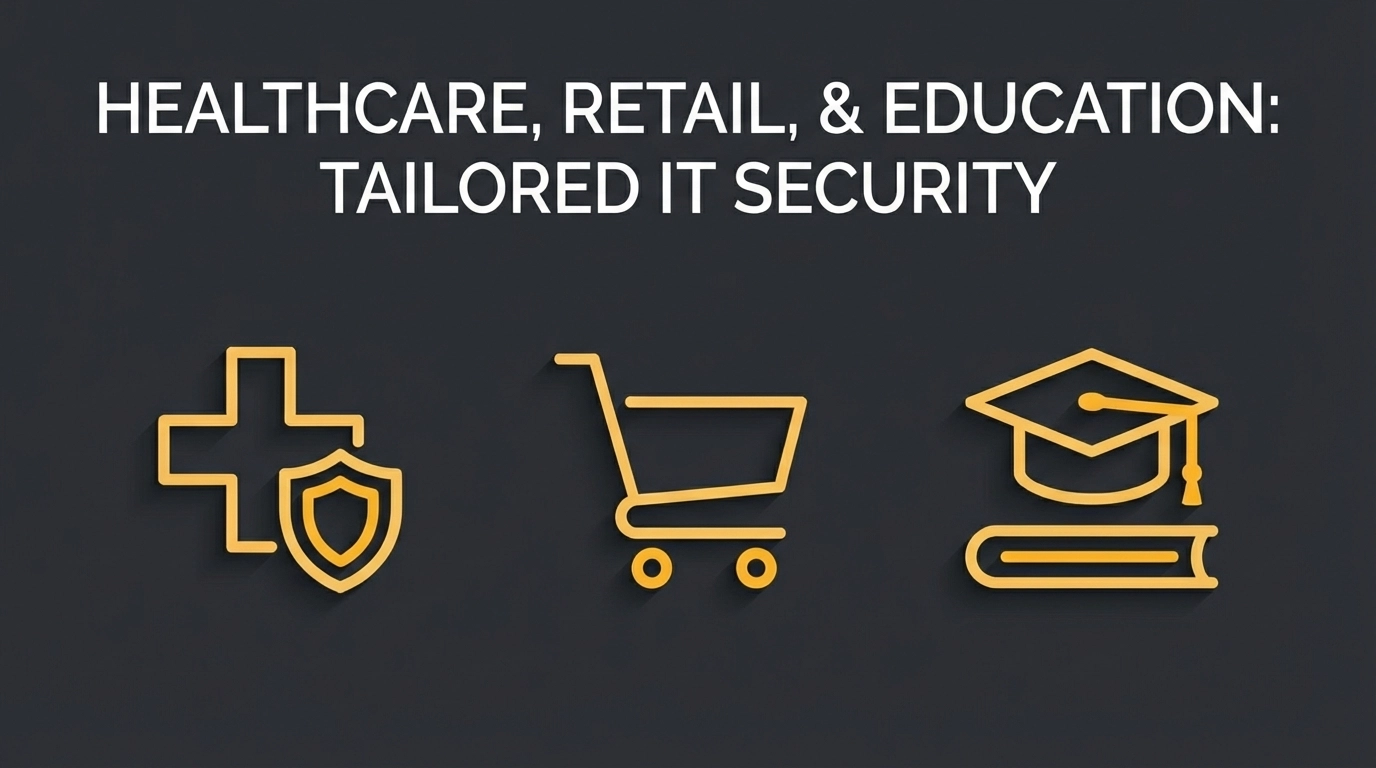
    Managed IT Support & Security: Tailored Approaches for Healthcare, Retail, and Education

    When it comes to managed IT support and security, there’s no universal fix. What keeps a GP surgery running smoothly can tie a department store in knots, and the checkout fortress that protects a retailer might leave a university’s research wide open.

    Still, many organisations reach for a one-size-fits-all playbook—convenient, familiar, and a poor fit for their specific operations, regulations, and threat landscape. The right approach is tailored: designed around how you work, what you must protect, and who needs access—then managed day to day so it stays effective.

    Below, we explore why healthcare, retail, and education each need tailored, managed security approaches—and how getting it wrong can cost your organisation dearly.

    Healthcare: Where Lives Depend on Managed Security

    Healthcare organisations face perhaps the most complex managed security challenges of any industry. They're not just protecting data; they're safeguarding patient lives, medical research, and some of the most sensitive personal information imaginable.

    image_1

    The Unique Data Landscape

    Healthcare providers handle an extraordinary variety of sensitive data: patient medical records, prescription information, insurance details, research data, and increasingly, real-time data from connected medical devices. This information is governed by strict regulations like HIPAA (Health Insurance Portability and Accountability Act) and the GDPR, with penalties that can reach millions of pounds.

    But it's not just about compliance. A ransomware attack that locks healthcare workers out of electronic health records can literally be life-threatening. In 2017, the WannaCry attack forced the NHS to cancel over 19,000 medical appointments and caused chaos across 80 NHS trusts.

    Critical Infrastructure Requirements

    Healthcare IT systems often include life-critical equipment: ventilators, heart monitors, MRI machines, and surgical robots. These devices frequently run on legacy operating systems that can't be easily updated, creating persistent security vulnerabilities. Yet taking them offline for security patches simply isn't an option when patients' lives are at stake.

    This creates a unique security challenge: how do you protect systems that must remain operational 24/7, can't be regularly updated, and are literally keeping people alive?

    The Human Factor

    Healthcare workers are focused on patient care, not cybersecurity protocols. They need systems that are secure by design but don't impede their ability to access critical information quickly. A security system that requires multiple authentication steps might work fine in a corporate environment, but it becomes dangerous when it prevents a doctor from accessing a patient's allergy information during an emergency.

    Retail: Where Managed Security Meets Speed

    The retail sector operates in a completely different security landscape, driven by high-volume transactions, seasonal fluctuations, and ever-changing consumer expectations. It demands a tailored, managed approach that scales without slowing sales.

    image_2

    Payment Card Industry Compliance

    Retail organisations must comply with PCI DSS (Payment Card Industry Data Security Standard), which sets strict requirements for handling, processing, and storing payment card information. Unlike healthcare's focus on protecting individual privacy, retail security centres on transaction integrity and preventing financial fraud.

    A data breach in retail doesn't just affect customer trust: it can result in massive financial penalties from payment card companies, potential lawsuits, and the complete inability to process card payments. When Target suffered a breach affecting 40 million payment cards in 2013, the incident cost the company over $200 million in settlements and security improvements.

    High-Volume, High-Speed Operations

    Retail systems must handle enormous transaction volumes, particularly during peak periods like Black Friday or Christmas shopping. Security measures must be robust enough to prevent breaches but efficient enough to avoid slowing down checkout processes: because every second of delay during peak periods represents lost revenue.

    This creates a delicate balance: how do you implement comprehensive security without affecting the customer experience or system performance during critical sales periods?

    The Omnichannel Challenge

    Modern retailers operate across multiple channels: physical stores, e-commerce websites, mobile apps, and increasingly, social media platforms. Each channel has different security requirements and vulnerabilities, but customer data must flow seamlessly between them.

    A customer might browse products on their phone, add items to their basket on their laptop, and complete the purchase in-store. This omnichannel experience requires sophisticated security measures that protect data across all touchpoints without creating friction in the customer journey.

    Education: Where Open Access Needs Tailored Protection

    Educational institutions face unique security challenges that combine elements from both public and private sectors, often with limited budgets and diverse user bases—making a tailored, managed approach essential.

    image_3

    FERPA and Student Privacy

    Educational institutions must comply with FERPA (Family Educational Rights and Privacy Act), which governs the privacy of student education records. Unlike healthcare's HIPAA or retail's PCI DSS, FERPA deals with a unique type of sensitive information: academic records, disciplinary actions, and personal development data that could affect students' futures.

    Educational data breaches can have long-lasting impacts on students' lives, from identity theft to academic fraud. When a university's systems are compromised, it's not just current students at risk: alumni records spanning decades may also be exposed.

    The Mixed User Environment

    Educational institutions serve an incredibly diverse user base: students, faculty, administrative staff, researchers, and often external collaborators. Each group has different access needs, technical competency levels, and security awareness.

    Students might need access to research databases and learning management systems but shouldn't be able to view other students' grades. Faculty members require access to academic records and research data but must be prevented from accessing financial systems. Administrative staff need broad access to operational systems but shouldn't access research data.

    Research and Intellectual Property

    Universities and research institutions often house valuable intellectual property: groundbreaking research, proprietary methodologies, and commercially valuable discoveries. This makes them attractive targets for industrial espionage and nation-state attacks.

    The challenge lies in balancing academic openness: the free exchange of ideas that drives innovation: with the need to protect valuable research from theft or unauthorised access.

    Budget Constraints and Legacy Systems

    Educational institutions often operate with limited budgets and aging IT infrastructure. They may still be running critical systems on hardware and software that's years or even decades old, creating security vulnerabilities that can't be easily addressed.

    Unlike private sector organisations that can budget for regular technology refreshes, educational institutions must often make do with what they have, requiring creative security solutions that work with legacy systems.

    Why One-Size-Fits-All Security Fails

    These three sectors illustrate why generic security approaches simply don't work. Each industry has:

    Different risk tolerances: Healthcare can't afford any system downtime; retail must balance security with transaction speed; education must accommodate diverse user needs with limited resources.

    Unique compliance requirements: HIPAA for healthcare, PCI DSS for retail, FERPA for education: each with different penalties, audit requirements, and technical specifications.

    Distinct operational constraints: Life-critical systems in healthcare, peak-season volume in retail, academic calendars and research cycles in education.

    Varied threat landscapes: Healthcare faces ransomware and medical device attacks; retail deals with payment fraud and e-commerce threats; education confronts research theft and credential attacks.

    image_4

    The Tailored, Managed Approach: Industry-Specific Security Strategies

    Effective IT security requires understanding not just what needs to be protected, but how that protection must be implemented and managed within each industry's unique operational framework.

    For healthcare, this means implementing security measures that never impede patient care, using device-specific protections for medical equipment, and ensuring compliance with multiple healthcare regulations simultaneously—all within a managed framework.

    For retail, it means creating security architectures that scale with seasonal demand, protect payment processing without slowing transactions, and secure omnichannel customer journeys—all delivered via a managed service.

    For education, it means developing flexible access controls that accommodate diverse user groups, protecting valuable research while maintaining academic openness, and maximising security within budget constraints—all orchestrated through a tailored, managed model.

    How Evestaff Delivers Tailored, Managed Security Solutions

    At Evestaff IT Support and Consultancy, we don't believe in one-size-fits-all security. We deliver tailored, managed solutions because a GP surgery's security needs are fundamentally different from a fashion retailer's, which are different again from a secondary school's.

    We begin every engagement with a comprehensive assessment of your industry-specific requirements: regulatory compliance obligations, operational constraints, risk tolerance levels, and existing infrastructure. From there, we design tailored, managed security architectures that protect what matters most to your organisation while supporting, not hindering, your core operations.

    Our approach extends beyond traditional IT security. Just as tailored, managed IT solutions are essential across all sectors: including real estate and property inventory services, like those found at propertyinventoryclerks.co.uk: we understand that effective cybersecurity must be customised to each industry's unique challenges and requirements.

    image_5

    Whether you’re protecting patient data in healthcare, securing payment transactions in retail, or safeguarding student records in education, your security approach should be tailored and managed—just like your organisation. Generic solutions breed generic vulnerabilities—and in today’s threat landscape, that’s a luxury no organisation can afford.

    Don't let a one-size-fits-all approach leave your organisation vulnerable. Book a free discovery call, let's Talk – https://itandconsultancy.co.uk/lets-talk/

  • How Predictive IT Support Saves Thousands for UK Logistics and Retail Firms

    How Predictive IT Support Saves Thousands for UK Logistics and Retail Firms

    Picture this: it's Black Friday, your busiest trading day of the year, and your warehouse management system just crashed. Orders are piling up, customers are getting frustrated, and your IT team is scrambling to figure out what went wrong. Sound familiar?

    For UK logistics and retail businesses, unplanned IT downtime isn't just an inconvenience, it's a profit killer. But here's the thing: most of these disasters are entirely preventable. That's where predictive IT support comes in, and it's quietly revolutionising how smart businesses manage their technology.

    What Exactly Is Predictive IT Support?

    Let's cut through the jargon. Predictive IT support is essentially having a crystal ball for your tech infrastructure. Instead of waiting for something to break and then fixing it (the old-school "reactive" approach), predictive support uses continuous monitoring, AI-driven analytics, and pattern recognition to spot problems before they happen.

    Think of it like your car's service light. You wouldn't wait for your engine to seize before checking the oil, would you? Predictive IT support applies that same logic to your entire technology stack, servers, networks, point-of-sale systems, warehouse equipment, the lot.

    Modern server room with continuous monitoring, illustrating predictive IT support for business efficiency

    The Hidden Cost of "If It Ain't Broke, Don't Fix It"

    Here's a stat that might keep you up at night: businesses using predictive approaches typically achieve cost reductions of around 30% compared to those stuck in reactive mode. That's not pocket change, especially when you're operating on the tight margins that logistics and retail are known for.

    But where does all that money actually go when you're constantly firefighting IT issues?

    Downtime costs are brutal. When your systems go down, everything stops. Warehouse staff can't process orders. Shop floor tills can't take payments. Delivery drivers can't access their routes. Every minute of downtime directly hits your bottom line.

    Emergency call-outs aren't cheap. Reactive IT support often means paying premium rates for urgent fixes. Weekend server crash? That's going to cost you. Bank holiday network failure? Even worse.

    Staff productivity takes a hit. When your team spends half their day waiting for slow systems or working around technical glitches, you're essentially paying them to be frustrated.

    Customer trust erodes. In today's competitive market, reliability isn't optional. One too many "sorry, our systems are down" moments and your customers will find someone else.

    Where the Savings Actually Come From

    Right, let's get into the specifics. Here's how predictive IT support puts money back in your pocket:

    Inventory Management That Actually Works

    For retail and logistics firms, inventory is everything. Get it wrong and you're either sitting on dead stock or losing sales to stockouts. Predictive analytics can reduce inventory costs by up to 20% through more accurate demand forecasting and optimised stock levels.

    Imagine knowing exactly what you'll need, when you'll need it, and having systems that automatically flag when something's about to run low. That's not science fiction: it's what modern predictive IT support delivers.

    Organised warehouse with neatly stacked inventory, demonstrating efficient logistics management

    Equipment That Lasts Longer

    Your technology infrastructure represents a significant investment. Predictive monitoring can decrease Mean Time Between Failures by 26%, which essentially means your equipment stays healthy for longer. Fewer replacements, fewer emergency repairs, better ROI on your hardware spend.

    This is particularly relevant for businesses running complex warehouse management systems, refrigeration units (hello, food logistics), or high-volume point-of-sale networks. When you can predict that a server is showing early signs of failure, you can schedule maintenance during quiet periods rather than dealing with a catastrophic breakdown at the worst possible moment.

    Energy Bills That Don't Make You Wince

    This one often surprises people. IoT-based tracking and monitoring: a key component of predictive IT support: can deliver energy savings of up to 19%. When your systems are running efficiently, they're not wasting power. When you can identify underperforming equipment before it becomes a problem, you're not paying for inefficiency.

    For logistics companies with large warehouse footprints or retailers with multiple store locations, those energy savings add up quickly.

    Predictable Budgets (Finally)

    Perhaps the most underrated benefit of predictive IT support is financial stability. Instead of budgeting for the unknown: hoping that this quarter won't be the one where everything breaks: you get predictable monthly costs. That makes planning easier, forecasting more accurate, and board meetings significantly less stressful.

    Real UK Success Stories

    This isn't theoretical. Major UK businesses are already seeing tangible results.

    Sainsbury's implemented real-time data streaming and predictive analytics across their supply chain and saw notable cost savings throughout their operations. Their enhanced forecasting engine, powered by machine learning, now anticipates customer demand fluctuations and prevents supply chain disruptions before they occur.

    Intersport, the UK-based sporting goods retailer, significantly reduced their replenishment times by adopting integrated retail systems powered by strategic IT support. Faster replenishment means happier customers and fewer lost sales.

    These aren't isolated examples. Across the retail and logistics sector, businesses that embrace predictive approaches are consistently outperforming their reactive competitors.

    Packages on conveyor belt in a retail supply chain, highlighting smooth operations and proactive IT systems

    Is Predictive IT Support Right for Your Business?

    Here's the honest answer: probably, but it depends on your situation.

    Predictive IT support tends to deliver the best ROI for businesses that:

    • Have complex IT infrastructure across multiple locations
    • Rely heavily on technology for day-to-day operations
    • Experience significant costs when systems go down
    • Want to focus internal resources on strategic priorities rather than tech firefighting

    If you're running a small operation with minimal tech requirements, a simpler approach might suffice. But if you're a growing logistics firm or multi-site retailer, the question isn't really whether you can afford predictive IT support: it's whether you can afford not to have it.

    Interestingly, we're seeing similar conversations happening across other sectors too. Property management firms, for instance: including those working with specialist services like inventory clerks at propertyinventoryclerks.co.uk: are increasingly recognising that their technology infrastructure needs the same proactive attention as their physical assets.

    Making the Switch

    Transitioning from reactive to predictive IT support doesn't have to be overwhelming. The key is working with a partner who understands your specific industry challenges and can tailor a solution accordingly.

    Start by getting a clear picture of your current IT landscape. What systems are critical? Where have you experienced problems in the past? What would downtime actually cost you? Armed with that information, you can have a proper conversation about what predictive support would look like for your business.

    If you're curious about how this might work for your organisation, having a quick discovery call with an IT consultancy that specialises in logistics and retail can help you understand the possibilities without any commitment. At Evestaff IT Support and Consultancy, we're always happy to chat through the options and help you figure out what makes sense for your specific situation.

    The Bottom Line

    UK logistics and retail firms operate in an unforgiving environment. Margins are tight, customer expectations are high, and technology failures can be catastrophic. Predictive IT support offers a way to get ahead of problems rather than constantly reacting to them.

    The numbers speak for themselves: 30% average cost reductions, 26% improvements in equipment reliability, up to 20% savings on inventory costs. For businesses serious about operational efficiency and long-term growth, predictive IT support isn't just a nice-to-have: it's becoming essential.

    The question isn't whether your competitors are making this shift. The question is whether you'll be leading the charge or playing catch-up.

  • The Ultimate Guide to Choosing an IT Support Partner: Everything UK Businesses Need to Succeed in 2026

    The Ultimate Guide to Choosing an IT Support Partner: Everything UK Businesses Need to Succeed in 2026

    The UK business landscape has fundamentally shifted. Remote work isn't going anywhere, AI is reshaping entire industries, and cyber threats are more sophisticated than ever. If you're still treating IT support as "the people you call when something breaks," you're already behind.

    In 2026, your managed IT support partner needs to be more than a helpdesk: they need to be a strategic extension of your leadership team. The question isn't whether you need professional IT support (you do), but rather: how do you find a partner who truly understands where business is heading?

    Why Traditional IT Support Models Are Dead in the Water

    Let's be honest about something: the old break-fix model died somewhere around 2019, and COVID-19 buried it for good. You know the model I'm talking about: call the IT guy when your computer crashes, pay by the hour, cross your fingers that it doesn't happen again.

    This reactive approach simply can't handle today's reality. Your team is working from coffee shops in Manchester, client sites in Edinburgh, and home offices in Cornwall. Your data lives in multiple clouds. Your biggest security threat might come from an AI-powered phishing email that's so convincing even your sharpest employee clicks the link.

    image_1

    Modern businesses need managed IT support that's proactive, strategic, and genuinely tailored to how you actually work. Not how IT companies think you should work.

    What Makes a Great Managed IT Support Partner in 2026

    The best IT partners in 2026 don't just fix problems: they prevent them. They don't just manage your technology: they help you leverage it for competitive advantage. Think of them as your outsourced IT director, someone who sits at the leadership table and helps make strategic decisions.

    Here's what that looks like in practice:

    They Understand Your Business First, Technology Second

    A great partner takes time to understand your industry, your clients, your growth plans, and your pain points. They ask questions like "What's stopping you from taking on more clients?" rather than "What antivirus do you want?"

    They Think in Systems, Not Individual Problems

    When your email goes down, they don't just restart the server. They look at your entire communication infrastructure, identify potential failure points, and implement redundancies. They think about how this connects to your client service, your team productivity, and your business reputation.

    They Speak Plain English

    Technical jargon has its place: internal IT discussions. When they're talking to you about strategy or explaining an incident, they translate everything into business impact. "Your server needs more memory" becomes "This upgrade will eliminate those slowdowns that frustrate your team every afternoon."

    Essential Capabilities Your IT Partner Must Have

    The technology landscape evolves fast, but some capabilities are non-negotiable for any serious managed IT support provider in 2026:

    image_2

    Cybersecurity That Actually Works

    Forget basic antivirus software. Your partner needs expertise in identity-first security, multi-factor authentication, zero-trust principles, and AI-powered threat detection. They should be able to explain your security posture in terms of business risk, not technical specifications.

    More importantly, they need to make security convenient for your team. The best security strategy in the world is worthless if your employees bypass it because it's too complicated.

    Hybrid Workforce Infrastructure

    Your IT partner must excel at creating seamless, secure experiences whether your team is in the office, working from home, or meeting clients on-site. This means:

    • Cloud-first systems that work from anywhere
    • Device management that doesn't require a PhD to understand
    • Collaboration tools that actually improve productivity
    • Secure remote access that doesn't slow everything to a crawl

    AI and Automation Expertise

    AI isn't just a buzzword anymore: it's a legitimate business tool. Your managed IT support partner should help you identify where AI can streamline operations, improve client service, or reduce costs. They should also understand AI security risks and help you implement these tools safely.

    Data Governance and Backup Systems

    Data is your business. Your IT partner needs robust systems for data classification, access control, retention policies, and disaster recovery. But here's the key: they need to make data governance feel automatic, not burdensome.

    Partnership vs. Vendor: Why the Relationship Model Matters

    There's a crucial difference between hiring a vendor and choosing a partner. Vendors deliver services. Partners deliver outcomes.

    A vendor fixes your printer when it breaks. A partner evaluates whether printing is the most efficient way for your team to handle documents, then implements a solution that improves your entire workflow.

    A vendor backs up your data. A partner designs a comprehensive data strategy that supports your growth plans while keeping you compliant with UK regulations.

    The "Insourcing Expertise" Advantage

    The best managed IT support providers offer what we call "insourcing expertise": you get access to specialized skills without the overhead of hiring full-time specialists. This is particularly valuable for capabilities like AI implementation, advanced cybersecurity, and cloud architecture.

    Think about it: hiring a full-time AI specialist might cost £80,000+ per year. A great IT partner gives you access to that expertise as part of a comprehensive service that probably costs less than that specialist's salary.

    image_3

    Red Flags: Warning Signs to Avoid

    Not every IT company claiming to offer "managed services" actually understands what that means. Here are the warning signs that should make you look elsewhere:

    They Lead with Price Instead of Value

    If their opening pitch is "we're cheaper than your current provider," run. The best IT support providers lead with outcomes and business impact. Price matters, but it should be discussed in the context of value delivered.

    They Don't Ask About Your Business Goals

    Any IT company that jumps straight into technical discussions without understanding your business objectives isn't thinking strategically. They're thinking like a vendor, not a partner.

    They Promise 100% Uptime

    This is either naive or dishonest. Things break. The internet goes down. Cyber attacks happen. Great IT partners focus on minimizing downtime and having solid recovery plans, not making impossible promises.

    They're Difficult to Reach When You Need Them

    Test their responsiveness during the sales process. If they're slow to respond to your questions when they're trying to win your business, imagine how responsive they'll be once you're signed up.

    Critical Questions to Ask Potential Partners

    Before you make any decisions, these conversations need to happen:

    "How do you handle monitoring and prevention?"

    Look for answers about proactive monitoring, automated alerts, and predictive maintenance. They should be able to describe how they identify problems before they impact your business.

    "What's your approach to security for remote workers?"

    They should talk about zero-trust networking, conditional access policies, and user education: not just VPNs and antivirus software.

    "How do you support business growth?"

    Great partners have experience scaling infrastructure alongside growing businesses. They should ask about your growth plans and explain how their services adapt.

    "What happens during a major incident?"

    You want to hear about communication protocols, escalation procedures, and post-incident reviews. They should have a clear process for keeping you informed and learning from problems.

    image_4

    "How do you stay current with technology trends?"

    The IT landscape changes rapidly. Your partner needs ongoing education, certifications, and a process for evaluating new technologies for client benefit.

    Making the Final Decision: Alignment Over Everything

    Technical capabilities matter, but alignment matters more. The most technically skilled IT provider in the world won't deliver great results if they don't understand your business culture, communication style, and strategic priorities.

    Look for a partner who:

    • Asks thoughtful questions about your business
    • Explains technical concepts in business terms
    • Demonstrates genuine interest in your success
    • Has experience with businesses similar to yours
    • Offers clear communication and project management processes

    The goal isn't just finding someone who can manage your technology: it's finding someone who can help you leverage technology for business advantage.

    Your Technology Should Enable Growth, Not Limit It

    Choosing the right managed IT support partner is one of the most important business decisions you'll make in 2026. The right partnership transforms technology from a cost center into a competitive advantage. The wrong choice creates ongoing frustration, security risks, and missed opportunities.

    Take time with this decision. Talk to multiple providers. Ask hard questions. Check references. Most importantly, look for a partner who understands that their job isn't just managing your IT: it's helping your business succeed.

    Your technology infrastructure should feel like it has the Midas Touch: everything it touches turns to business gold. With the right managed IT support partner, that's exactly what happens.

    image_5

    Ready to find a managed IT support partner who truly understands your business goals? Book a free discovery call, let's Talk – https://itandconsultancy.co.uk/lets-talk/

  • Is Your Backup Strategy Failing? 10 Red Flags Every Business Owner Should Know

    Is Your Backup Strategy Failing? 10 Red Flags Every Business Owner Should Know

    Here's a scary thought: most business owners assume their backups are working perfectly. Until they're not.

    We've seen it happen time and time again. A ransomware attack hits, a server fails, or someone accidentally deletes critical files, and suddenly, that "reliable" backup system turns out to be nothing more than a false sense of security.

    The truth is, backup failures rarely announce themselves. They lurk in the background, waiting for the worst possible moment to reveal just how unprepared you actually are. And by then? Well, the damage is already done.

    So let's talk about the warning signs. Here are ten red flags that suggest your backup strategy might be setting you up for disaster.

    1. You've Never Actually Tested Your Backups

    This is the big one. The mother of all backup mistakes.

    Your backup jobs complete successfully every night. The logs look clean. Everything seems fine. But here's the question that keeps IT professionals up at night: have you ever actually tried to restore anything from those backups?

    Backups can be corrupted, incomplete, or simply unrestorable: and you won't know until you need them most. Regular recovery testing isn't optional. It's the only way to confirm your data is actually protected.

    Server room with backup verification checklist highlighting untested backups and data protection risks

    2. All Your Backups Live in One Place

    If your backups sit on the same server, in the same building, or even in the same cloud environment as your production data, you're playing a dangerous game.

    Think about it. A fire, flood, or ransomware attack doesn't discriminate. If it can reach your primary systems, it can probably reach your backups too. The 3-2-1 backup rule exists for a reason: three copies of your data, on two different types of media, with one stored offsite.

    3. Your Recovery Plan Is Gathering Dust

    When was the last time you reviewed your disaster recovery plan? If you're struggling to remember: or worse, if you don't have one at all: that's a serious problem.

    Business environments change constantly. New systems get added, old ones get retired, and what worked two years ago might be completely inadequate today. An outdated recovery plan is almost as bad as having no plan at all.

    4. You're Trusting Microsoft 365 to Handle Everything

    This one catches a lot of businesses off guard.

    Microsoft 365 is fantastic for productivity, but it's not a backup solution. The standard retention policies typically give you somewhere between 30 and 90 days of recovery options. After that window closes, your data could be gone for good.

    Accidentally deleted an important email six months ago? Tough luck. A disgruntled employee wiped a SharePoint site before leaving? You might be out of options.

    Third-party backup solutions for Microsoft 365 aren't a luxury: they're a necessity.

    Laptop with cloud icon and fading calendar showing Microsoft 365 backup data retention limits

    5. Your Recovery Time Objective Is a Mystery

    Here's a question every business owner should be able to answer: if your systems went down right now, how long could you survive without them?

    Your Recovery Time Objective (RTO) defines the maximum acceptable downtime before your business starts suffering serious consequences. If you haven't defined this: or if your current backup solution can't actually meet it: you're setting yourself up for a painful surprise.

    Some businesses can tolerate a day or two of downtime. Others can't afford more than a few hours. Know your threshold, and make sure your backup strategy can deliver.

    6. Everything's On-Site

    On-site backups have their place, but they shouldn't be your only line of defence.

    Modern ransomware is specifically designed to hunt down and encrypt backup files. Attackers know that if they can compromise your backups along with your production data, you're far more likely to pay up. Keeping everything on the same network makes their job easier.

    Cloud-based or offsite backups create an air gap that ransomware can't easily cross. It's not about replacing on-site backups: it's about adding layers.

    7. Your Backup Solution Can't Keep Up

    Data grows. That's just the reality of modern business. But if your backup windows are getting longer, if you're constantly running out of storage, or if backups are starting to impact system performance during business hours, your solution is struggling.

    Incomplete backups are worse than no backups at all because they give you false confidence. If your current setup can't scale with your data growth, it's time to reassess.

    External hard drive isolated on dark surface symbolising incomplete backups and vulnerability

    8. Compliance Requirements Aren't Being Met

    GDPR, industry regulations, client contracts: there's a good chance your business has specific data protection requirements you need to meet.

    If your backup strategy doesn't align with these standards, you're not just risking data loss. You're risking fines, legal action, and serious reputational damage. This is particularly important for businesses handling sensitive information, whether that's financial data, healthcare records, or detailed property documentation.

    Speaking of which, we've worked closely with property professionals like our partners at propertyinventoryclerks.co.uk to ensure their inventory data stays protected and compliant. It's a perfect example of how different industries have unique backup requirements that generic solutions often miss.

    9. Your Backup Process Relies on Manual Steps

    "Someone clicks a button every Friday" is not a backup strategy.

    Manual processes are inconsistent at best and completely forgotten at worst. People get busy, go on holiday, or simply assume someone else is handling it. Automated backups with scheduled jobs, automatic verification, and alerting systems remove the human error factor entirely.

    If a backup fails, you should know about it immediately: not weeks later when you actually need to restore something.

    10. Access Controls Are an Afterthought

    Who has access to your backup systems? Who can modify or delete backup data? If you don't know the answers, you've got a security gap that could prove catastrophic.

    Insider threats, stolen credentials, and accidental deletions are all real risks. Strong access controls, multi-factor authentication, and proper audit trails aren't just best practices: they're essential safeguards for your last line of defence.

    Security vault door ajar representing strong access controls and backup system protection

    The Hidden Gap You Might Have Missed

    Beyond these ten red flags, there's one more issue worth mentioning: coverage gaps.

    When new systems, applications, or data sources get added to your infrastructure, do they automatically get included in your backup plan? Or do they slip through the cracks until someone realises: usually at the worst possible moment: that critical data was never being backed up at all?

    Regular audits of your backup coverage should be part of your routine. It's not glamorous, but it's necessary.

    What Should You Do Next?

    If any of these red flags sound familiar, don't panic. The good news is that backup strategies can be fixed, improved, and modernised without starting from scratch.

    The first step is understanding exactly where you stand. What's working, what's not, and what gaps need addressing.

    At Evestaff IT Support and Consultancy, we help businesses across the UK assess their backup and disaster recovery setups, identify vulnerabilities, and implement solutions that actually work when it matters most. If you're not confident your current strategy would survive a real-world test, book a discovery call with us. We'll take an honest look at what you've got and help you figure out what needs to change.

    Because the time to fix your backup strategy is now( not the day after everything goes wrong.)