Author: David Evestaff

  • Does IT Resilience Really Matter in 2026? Here's the Truth

    Does IT Resilience Really Matter in 2026? Here's the Truth

    Let's be honest. If you're running a business in 2026, you've probably heard the term "IT resilience" thrown around more times than you can count. It's in the headlines, it's in vendor pitches, and it's probably lurking somewhere in your latest compliance audit.

    But does it actually matter? Or is it just another buzzword designed to sell you more software and services you don't need?

    Here's the truth: IT resilience isn't just important in 2026: it's become absolutely essential. And if you're still thinking about cybersecurity purely in terms of "keeping the bad guys out," you're already behind the curve.

    The Old Way of Thinking Is Broken

    For years, the IT security playbook was straightforward: build strong walls, install firewalls, deploy antivirus software, and hope for the best. Prevention was the name of the game.

    That approach made sense when threats were simpler. But the landscape has fundamentally changed.

    Today's ransomware groups operate like professional businesses, complete with customer service teams and subscription models. Nation-state actors blend espionage techniques with criminal tactics. Even organisations with massive security budgets and mature tech stacks are getting breached.

    The uncomfortable reality? Prevention alone is no longer sufficient.

    image_1

    This doesn't mean you should abandon your firewalls and throw in the towel. Far from it. But it does mean the strategic question has shifted. Instead of asking "Can we prevent this?" smart businesses are now asking "What happens when this fails, and how quickly can we recover?"

    That's the essence of IT resilience.

    What IT Resilience Actually Means

    IT resilience isn't about being invincible. It's about being prepared.

    Think of it like this: a resilient business isn't one that never experiences problems. It's one that can take a hit, adapt quickly, and keep operating while others are still figuring out what went wrong.

    True IT resilience encompasses several key elements:

    Visibility across your environment – You can't protect what you can't see. Understanding your entire IT estate, including cloud services, remote devices, and third-party integrations, is the foundation of resilience.

    Rapid detection capabilities – The faster you spot suspicious behaviour, the faster you can respond. Minutes matter when an attack is underway.

    Tested incident response processes – Having a plan on paper is one thing. Knowing that plan actually works under pressure is another entirely.

    Clear roles and rehearsed procedures – When something goes wrong at 3am, everyone needs to know exactly what they're responsible for without scrambling to find documentation.

    People and culture – Technology is only part of the equation. Staff who understand security risks and know how to respond are your first line of defence.

    Why 2026 Is a Turning Point

    Several forces have converged to make IT resilience more critical than ever.

    Regulatory Pressure Is Intensifying

    Frameworks like NIS2 and DORA have shifted the regulatory focus from pure prevention to operational resilience. Regulators are now far more interested in how you respond to incidents than whether you managed to avoid them altogether.

    Poor containment, slow recovery, or unclear decision-making can carry serious financial and legal consequences. Boards are being held accountable for resilience in ways they weren't just a few years ago.

    image_2

    The Margin for Error Has Shrunk

    Business operations are more digital and interconnected than ever. A systems outage that might have been an inconvenience in 2015 can now halt entire supply chains, damage customer relationships, and make national news.

    The expectation from customers, partners, and stakeholders is that your business can operate securely: even when under attack. Downtime that stretches into hours or days is increasingly unacceptable.

    Resilience Is Becoming a Competitive Advantage

    Here's something many business leaders haven't fully grasped yet: IT resilience is becoming a differentiator.

    Customers and partners want confidence that the businesses they work with can handle disruption. In procurement processes, security questionnaires are becoming more detailed and more demanding. Organisations that can demonstrate genuine resilience: not just checkbox compliance: are winning more business.

    Gartner predicts that by 2028, half of all CISOs will rebrand their cybersecurity programmes as "cyber resilience" programmes. That's not just a naming change. It signals a fundamental industry pivot in how we think about protecting business operations.

    What Resilience Looks Like in Practice

    So what does building IT resilience actually involve? Let's break it down into practical terms.

    Start With Visibility

    You need a complete picture of your IT environment. This includes:

    • All devices connecting to your network
    • Cloud services and SaaS applications in use
    • Third-party integrations and data flows
    • Shadow IT that might have crept in under the radar

    Without this visibility, you're essentially trying to defend a castle when you don't know where all the doors and windows are.

    Invest in Detection and Monitoring

    Modern threats are designed to evade traditional security tools. Investing in detection capabilities: whether through managed security services, SIEM solutions, or endpoint detection and response tools: gives you the ability to spot problems before they escalate.

    image_3

    Test Your Plans Regularly

    Here's where many organisations fall short. They create incident response plans, file them away, and assume they're covered.

    The problem? Untested plans are almost worthless when a real incident occurs.

    Tabletop exercises, realistic incident simulations, and regular drills help ensure that your team knows what to do under pressure. These exercises also reveal gaps in your processes that you can fix before they matter.

    Don't Forget the Human Element

    Technology can only take you so far. Your people need to understand their role in maintaining resilience.

    This means regular security awareness training, clear communication about incident reporting procedures, and a culture where staff feel comfortable flagging potential issues without fear of blame.

    Post-incident reviews are equally important. When something does go wrong, taking the time to analyse what happened and learn from it makes your organisation stronger for the next challenge.

    The Bottom Line

    IT resilience in 2026 isn't optional. It's not a luxury reserved for enterprise organisations with massive budgets. And it's definitely not something you can achieve by simply buying more security tools.

    Resilience is a mindset. It's about accepting that breaches and disruptions will happen, and building your organisation to respond effectively when they do.

    The businesses that treat resilience as fundamental to how they operate: rather than a compliance checkbox: will be better positioned to navigate disruption, meet regulatory expectations, and maintain the trust of their customers and partners.

    Those that don't? They'll find themselves scrambling when something inevitably goes wrong, facing not just operational chaos but potential regulatory penalties and reputational damage.

    The question isn't whether IT resilience matters. The question is whether your business is ready.


    Need help building IT resilience for your business? At Evestaff IT Support and Consultancy, we help organisations across the UK develop practical, tested approaches to IT resilience that go beyond checkbox compliance.

    Book a free discovery call, let's Talkhttps://itandconsultancy.co.uk/lets-talk/
  • The Cyber Insurance Checklist: 10 Essentials for 2026 Compliance

    The Cyber Insurance Checklist: 10 Essentials for 2026 Compliance

    If you've tried renewing your cyber insurance recently, you've probably noticed something: it's got a lot harder. Gone are the days when insurers would rubber-stamp your application with a few basic questions about antivirus software.

    In 2026, cyber insurance renewals feel more like full-blown security audits. Insurers have been burned by ransomware payouts and weak recovery practices, and they're not taking chances anymore. If your security controls aren't up to scratch, or worse, if you can't prove they are, you might find yourself facing sky-high premiums, reduced coverage, or outright rejection.

    The good news? If you know what insurers are looking for, you can get ahead of the game. Here's our rundown of the 10 essentials you need to tick off for cyber insurance compliance in 2026.

    1. Multi-Factor Authentication (MFA) Everywhere

    This one's non-negotiable. Insurers expect MFA to be enabled across all your critical access points, email, cloud platforms, VPNs, remote desktop connections, and especially any administrative accounts.

    If you're still relying on passwords alone for anything sensitive, that's a red flag underwriters will spot immediately. And no, SMS-based MFA isn't going to cut it for high-risk systems anymore. Phishing-resistant methods like authenticator apps or hardware keys are what insurers want to see.

    Smartphone with authenticator app and hardware security key on dark desk highlighting multi-factor authentication for cyber insurance compliance

    2. Individual Privileged Accounts (No More Shared Logins)

    Remember that shared admin account everyone in the office knows the password to? It needs to go.

    Insurers want every privileged user to have their own individual credentials. Why? Because when something goes wrong, you need to be able to trace exactly who did what and when. Shared accounts make that impossible, and they're a massive liability during incident investigations.

    Make sure you're also conducting regular access reviews: especially when someone changes role or leaves the company. Document everything.

    3. Endpoint Detection and Response (EDR)

    Traditional antivirus just doesn't cut it anymore. Insurers now expect modern Endpoint Detection and Response (EDR) solutions deployed across all devices that touch your systems: laptops, desktops, servers, and cloud-based virtual machines.

    But it's not enough to just have EDR installed. You need to demonstrate that it's actively monitored, kept updated, and that you have a clear process for responding to alerts. Insurers will ask who's watching the dashboard and what happens when something gets flagged.

    4. Tested and Verified Backups

    Having backups is great. Having backups that actually work when you need them? That's what insurers care about.

    You need to show that your backups are:

    • Regularly tested (not just set and forgotten)
    • Isolated from your main network (so ransomware can't encrypt them too)
    • Documented with clear recovery procedures

    If you can't demonstrate a tested recovery process, insurers will assume the worst: that you'd be dead in the water after an attack.

    Three secure server towers connected to cloud storage with gold shield, illustrating reliable data backup and protection against cyber threats

    5. Patch and Vulnerability Management

    Unpatched systems are low-hanging fruit for attackers, and insurers know it. They'll want to know how often you run vulnerability scans, how you prioritise what gets fixed first, and whether you can show improvement over time.

    A single clean scan isn't enough. What matters is demonstrating a consistent, documented process for identifying vulnerabilities and addressing them before they become problems.

    6. Email Security and Anti-Phishing Controls

    Email remains the number one attack vector for businesses. Phishing, business email compromise, and malicious attachments are behind a huge percentage of cyber insurance claims.

    Insurers expect robust email security controls including:

    • Spam and malware filtering
    • Link scanning and sandboxing
    • DMARC, DKIM, and SPF records configured properly
    • Clear policies for handling suspicious emails

    If your email security is weak, everything else becomes harder to protect.

    7. A Documented Incident Response Plan

    When (not if) something goes wrong, do you know exactly what to do? More importantly, can you prove it?

    Insurers want to see a well-documented incident response plan that covers:

    • How you'll identify and contain an attack
    • Who's responsible for what
    • How you'll communicate with stakeholders
    • Your relationship with approved breach response teams

    Your plan should also account for supply chain compromises: attacks that come through your vendors or partners rather than directly at you.

    Organised crisis response workspace with notebook, tablet, and coffee cup, representing incident response planning for cyber insurance requirements

    8. Security Awareness Training

    Your people are your first line of defence, but they're also your biggest vulnerability if they're not trained properly. Social engineering and phishing attacks rely on human error, and insurers know this.

    Regular security awareness training should cover:

    • Recognising phishing attempts
    • Safe handling of sensitive data
    • Password hygiene
    • Reporting suspicious activity

    One annual training session isn't enough. Ongoing education and simulated phishing tests show insurers you're taking this seriously.

    9. Vendor and Third-Party Risk Management

    Your security is only as strong as your weakest supplier. Insurers are increasingly focused on how you manage third-party access to your systems.

    You need to demonstrate that you:

    • Know which vendors have access to your data and systems
    • Review their security practices before granting access
    • Limit access to what's strictly necessary and time-bound
    • Maintain audit trails of third-party activity

    This applies across industries too. Whether you're in IT, finance, or even property services: any business handling client data faces these requirements. We've seen this firsthand working with companies across sectors, including property professionals like propertyinventoryclerks.co.uk who handle sensitive tenant and landlord information daily.

    10. Governance, Compliance, and Documentation

    Finally, insurers want to see that you've got your house in order from a governance perspective. This means:

    • Clear data inventories – knowing what data you hold and where
    • Documented compliance with relevant regulations (GDPR, industry-specific requirements)
    • Understanding of your policy – including exclusions and coverage triggers
    • Evidence, evidence, evidence – vague answers won't fly anymore

    If you can't substantiate your security controls with documentation, underwriters will push back. The days of "trust us, we've got it covered" are well and truly over.

    The Bottom Line: Evidence Is Everything

    The common thread running through all these requirements? Proof.

    Insurers aren't just asking whether you have security controls in place: they want evidence that those controls actually work, are consistently applied, and can be demonstrated on demand.

    This might feel like a lot to get your head around, especially if IT isn't your core business. But getting these fundamentals right doesn't just help with insurance: it genuinely protects your business from the threats that are only getting more sophisticated.

    If you're not sure where you stand or want help getting your security posture ready for renewal season, we're always happy to chat. Book a free discovery call with our team, and we'll help you figure out what needs attention and where to start.

    Cyber insurance is getting tougher to secure, but with the right preparation, you'll be in a much stronger position: both with your insurer and against the threats themselves.

  • How to Prepare Your Business for AI in 5 Practical Steps (Easy Guide for SMEs)

    How to Prepare Your Business for AI in 5 Practical Steps (Easy Guide for SMEs)

    Artificial intelligence isn't just for tech giants and Fortune 500 companies anymore. In 2026, AI tools are more accessible, affordable, and practical than ever: making them a genuine game-changer for small and medium-sized enterprises (SMEs) across the UK.

    But here's the thing: jumping into AI without a plan is a bit like buying expensive gym equipment and letting it gather dust in the garage. You need a strategy, the right tools, and a team that's ready to use them.

    The good news? You don't need a massive budget or a team of data scientists to get started. This guide breaks down how to prepare your business for AI in five practical, no-nonsense steps. Whether you're running a professional services firm, a retail operation, or a manufacturing business, these tips will help you adopt AI in a way that actually makes sense for your organisation.

    Let's get into it.

    Step 1: Identify Business Areas That Can Benefit from AI

    Before you start shopping for shiny new AI tools, take a step back and look at your business with fresh eyes. Where are the bottlenecks? What tasks eat up your team's time without adding much value? Where do you struggle with data or decision-making?

    Common areas where AI can make a real difference for SMEs include:

    • Customer service – Handling repetitive enquiries and freeing up staff for complex issues
    • Marketing – Personalising campaigns and optimising ad spend
    • Sales – Lead scoring and pipeline management
    • Operations – Inventory forecasting and supply chain optimisation
    • Administration – Automating data entry, scheduling, and document processing

    The key here is to prioritise. Don't try to AI-ify everything at once. Pick one or two areas where you're genuinely struggling or where automation could deliver quick wins. This focused approach means you'll see results faster and avoid the overwhelm that comes with trying to do too much too soon.

    image_1

    Step 2: Choose the Right AI Tools

    Once you've identified where AI can help, it's time to find the right tools for the job. The good news is that there's a huge range of AI-powered solutions designed specifically for SMEs: many of which are surprisingly affordable and user-friendly.

    Here are some categories to consider:

    Customer Relationship Management (CRM)

    Modern CRM systems like HubSpot, Salesforce, and Zoho now come with built-in AI features that can predict customer behaviour, suggest next steps for sales reps, and automate follow-ups.

    Chatbots and Virtual Assistants

    AI-powered chatbots can handle customer enquiries 24/7, answer FAQs, and even process simple transactions. Tools like Intercom, Drift, and Tidio are popular choices for SMEs.

    Marketing Automation

    Platforms like Mailchimp, ActiveCampaign, and Jasper use AI to personalise email content, optimise send times, and even generate copy suggestions.

    Analytics and Business Intelligence

    Tools like Microsoft Power BI and Google Analytics now incorporate AI-driven insights that can help you spot trends, predict outcomes, and make smarter decisions.

    Document and Process Automation

    Solutions like Zapier, Make (formerly Integromat), and Microsoft Power Automate can connect your existing tools and automate repetitive workflows without any coding required.

    When evaluating tools, consider your budget, technical capabilities, and how well each solution integrates with your existing systems. And don't be afraid to take advantage of free trials: most AI platforms offer them, so you can test before you commit.

    image_2

    Step 3: Train Your Team and Foster AI Adoption

    Here's a truth bomb: the best AI tools in the world are useless if your team doesn't use them properly. Employee buy-in is absolutely critical to successful AI adoption.

    One of the biggest challenges businesses face is resistance to change. Some team members might worry that AI will replace their jobs. Others might feel intimidated by new technology. It's your job (or your managers' job) to address these concerns head-on.

    Tips for smooth AI adoption:

    Communicate the "why" – Explain how AI will make their jobs easier, not redundant. Focus on how it can eliminate boring, repetitive tasks and free up time for more interesting, higher-value work.

    Provide hands-on training – Don't just send a link to a help article and hope for the best. Invest in proper training sessions where employees can learn by doing.

    Start with enthusiasts – Identify team members who are naturally curious about technology and get them on board first. They can become internal champions who help bring others along.

    Create a feedback loop – Encourage employees to share what's working and what isn't. This helps you refine your approach and shows the team that their input matters.

    Celebrate wins – When AI helps close a deal faster, reduces customer wait times, or saves hours of admin work, make sure everyone knows about it.

    Building a culture of innovation takes time, but it's worth the effort. The businesses that thrive with AI are the ones where employees feel confident and empowered to use these tools.

    image_3

    Step 4: Start Small and Scale Gradually

    This might be the most important piece of advice in this entire guide: don't try to boil the ocean.

    It's tempting to go all-in on AI transformation, but a cautious, phased approach is almost always smarter: especially for SMEs with limited resources.

    Here's a practical framework:

    Pilot first – Start with a small-scale project in one department or team. For example, you might test an AI chatbot on your website for three months before rolling it out to other channels.

    Measure everything – Define clear success metrics before you begin. Are you trying to reduce response times? Increase conversion rates? Save staff hours? Track the numbers so you can objectively assess whether the AI tool is delivering value.

    Iterate and improve – Use what you learn from your pilot to refine your approach. Maybe the chatbot needs better training data, or perhaps your team needs more support. Make adjustments before scaling up.

    Expand strategically – Once you've proven the concept, gradually roll out AI to other areas of the business. Each new implementation should build on the lessons learned from previous ones.

    This approach minimises risk, keeps costs manageable, and gives your team time to adapt. It's not as exciting as a dramatic overnight transformation, but it's far more likely to succeed.

    Step 5: Ensure Data Security and Ethical AI Use

    AI systems are hungry for data: and that means data security and privacy should be front of mind throughout your AI journey.

    As an SME, you're still bound by data protection regulations like GDPR. Any AI tools you implement must handle personal data responsibly and compliantly. Here's what to keep in mind:

    Security considerations:

    • Vet your vendors – Before signing up for any AI platform, check their security credentials. Look for certifications like ISO 27001 and ask about their data handling practices.
    • Control access – Limit who can access AI tools and the data they process. Use role-based permissions where possible.
    • Monitor continuously – Set up alerts and regular audits to catch any unusual activity or potential breaches early.
    • Keep software updated – Ensure all AI tools and connected systems are running the latest security patches.

    Ethical considerations:

    • Be transparent – If you're using AI chatbots, let customers know they're talking to a bot, not a human.
    • Avoid bias – AI systems can inherit biases from their training data. Be aware of this risk and review outputs regularly for fairness.
    • Maintain human oversight – AI should support decision-making, not replace human judgment entirely: especially for sensitive matters.

    Building trust with your customers and employees requires showing that you take these responsibilities seriously. It's not just about compliance; it's about doing the right thing.

    image_4

    Ready to Take the Next Step?

    Preparing your business for AI doesn't have to be overwhelming. By identifying the right opportunities, choosing practical tools, getting your team on board, starting small, and keeping security front of mind, you can harness the power of AI without the headaches.

    And if you're not sure where to start or need help evaluating your options, that's where we come in. At Evestaff IT Support and Consultancy, we help SMEs across the UK navigate technology decisions: including AI adoption: with clear, jargon-free advice tailored to your business.

    Book a free discovery call, let's Talk – https://itandconsultancy.co.uk/lets-talk/

  • Microsoft 365 Copilot: Practical ROI for UK SMEs (Beyond the Hype)

    Microsoft 365 Copilot: Practical ROI for UK SMEs (Beyond the Hype)

    Let's be honest: every tech vendor promises the world. "Transform your business!" "10x productivity!" "The future is here!" We've all heard it before, and if you're running an SME in the UK, you've probably developed a healthy scepticism towards these claims.

    So when Microsoft started pushing Copilot as the next big thing for business productivity, plenty of business owners rolled their eyes. Another expensive tool that sounds great in demos but gathers dust after the first month?

    Actually, not quite. The early data is in, and it's telling a more nuanced story. UK SMEs are seeing genuine returns on their Copilot investment: but there's a massive asterisk attached. The difference between success and wasted money comes down to one thing: how you implement it.

    Let's cut through the marketing fluff and look at what Copilot can actually do for your business.

    The Numbers Behind the Hype

    Before we get into the practical stuff, let's talk figures. A Forrester study commissioned by Microsoft found that SMBs can achieve ROI ranging from 132% to 353% over three years. That's a pretty wide range, and the gap tells you something important: results vary wildly depending on how well you roll it out.

    Minimalist matte black and gold abstract bars suggesting ROI growth.

    More specifically, UK SMEs that have implemented Copilot correctly are reporting 2-4x returns within just six months. That's genuinely impressive for any software investment.

    Here's what the research shows in terms of measurable benefits:

    • 6% increase in net revenue from faster time to market
    • 20% reduction in operating costs for 59% of businesses
    • 25% faster onboarding for new team members
    • 18% boost in employee satisfaction with an 11-20% reduction in staff turnover
    • 1-10% reduction in supply chain costs for over half of businesses surveyed

    Real-world examples paint an even clearer picture. Morula Health, for instance, cut their content creation time from weeks to days by using Copilot to summarise complex data. Legal services firms are reporting anticipated 50% time savings on contract review tasks.

    Those aren't small improvements: they're the kind of gains that actually move the needle on your bottom line.

    Where Copilot Actually Delivers

    Here's the thing that most vendors won't tell you: Copilot isn't magic. It won't replace your staff, and it definitely won't make business decisions for you. What it does brilliantly is eliminate the repetitive administrative work that eats up your team's time.

    Think about how much of your week gets swallowed by tasks that need doing but don't actually require much thought:

    Meeting summaries and action items : Instead of someone spending 30 minutes after every meeting typing up notes, Copilot does it automatically. More importantly, it captures the action items and who's responsible for them.

    Document drafting : First drafts of proposals, reports, and standard communications can be generated in minutes rather than hours. Your team then refines and personalises them, which is where their expertise actually matters.

    Email management : Summarising long email threads, drafting responses, and prioritising what needs attention first. For anyone drowning in their inbox (so, everyone), this is genuinely useful.

    Data analysis and reporting : Pulling insights from spreadsheets and creating visual reports without needing to be an Excel wizard.

    Minimalist matte black desk silhouette with subtle gold accents suggesting productivity.

    We've seen this play out across various sectors. Even property management businesses like Property Inventory Clerks are finding that AI-assisted documentation helps streamline their reporting processes: the technology isn't limited to traditional office environments.

    The Implementation Reality Check

    Now for the uncomfortable truth that Microsoft's marketing materials gloss over: plenty of businesses have invested in Copilot and seen minimal returns. The phrase "measurable ROI remains elusive" keeps coming up in enterprise discussions, and that's not because the tool doesn't work: it's because implementation is often poor.

    The UK SMEs seeing those 2-4x returns within six months have one thing in common: they focused on specific workflows rather than attempting a company-wide rollout.

    Here's what successful implementation looks like:

    Start with pain points, not features : Don't activate Copilot for everyone and hope they figure it out. Identify the three or four processes that consume the most administrative time and target those first.

    Train properly : This sounds obvious, but most businesses skip it. Copilot responds differently depending on how you prompt it. A 30-minute training session on effective prompting can double someone's productivity with the tool.

    Measure before and after : You can't prove ROI if you don't know what you're comparing against. Track how long specific tasks take before Copilot, then measure again a month after implementation.

    Get buy-in from the right people : If your team sees Copilot as "that thing IT forced on us," they won't use it properly. The businesses seeing real returns have champions within departments who actually want to use the tool.

    Minimalist matte black abstract interlocking shapes with subtle gold accents suggesting implementation strategy.

    Is It Worth It for Your Business?

    This is the question, isn't it? At roughly £24 per user per month (on top of your existing Microsoft 365 subscription), Copilot isn't cheap. For a team of 10, you're looking at nearly £3,000 per year.

    The honest answer is: it depends on what your team actually does.

    Copilot makes sense if:

    • Your staff spend significant time on document creation and editing
    • You have regular meetings that need summarising and follow-up
    • Email volume is a genuine productivity drain
    • You're already embedded in the Microsoft 365 ecosystem

    Copilot probably isn't worth it if:

    • Your team works primarily in non-Microsoft tools
    • Most of your work is hands-on rather than administrative
    • You don't have capacity to implement it properly
    • Your processes are already highly efficient

    The businesses getting the best returns are typically those with knowledge workers who spend a decent chunk of their day on tasks that involve writing, analysing data, or managing communications.

    Getting Started Without the Risk

    If you're on the fence, there's a sensible approach that doesn't require betting the farm. Microsoft offers trial periods, and you can start with a small pilot group rather than rolling out to everyone immediately.

    Pick your most tech-comfortable team members, give them proper training, and focus on one or two specific use cases. Document what works, what doesn't, and what the actual time savings look like. After a month or two, you'll have real data to decide whether a broader rollout makes sense.

    Minimalist matte black collaboration scene in abstract silhouettes with subtle gold accents.

    The worst thing you can do is buy licenses for everyone, send a company-wide email saying "we have Copilot now," and expect magic to happen. That's how you end up in the "ROI remains elusive" camp.

    The Bottom Line

    Microsoft 365 Copilot isn't hype: there's genuine value there for the right businesses. But it's also not a silver bullet. The difference between a 350% return and wasted money comes down to thoughtful implementation, proper training, and targeting the tool at problems it can actually solve.

    The UK SMEs seeing real results aren't the ones who bought in because of flashy demos. They're the ones who identified specific pain points, implemented carefully, and measured the results.

    If you're wondering whether Copilot could work for your business: or you've already got licenses and aren't seeing the returns you expected: sometimes it helps to get an outside perspective. We regularly chat with businesses about their Microsoft 365 setup and whether tools like Copilot actually fit their workflows. No pressure, no sales pitch: just a conversation about what makes sense for your situation.

    The AI productivity revolution is real, but only for the businesses that approach it strategically. Don't let the hype make decisions for you, but don't dismiss the genuine opportunity either.

  • Looking For an Outsourced IT Partner? Here Are 10 Things You Should Know

    Looking For an Outsourced IT Partner? Here Are 10 Things You Should Know

    Finding the right outsourced IT partner can feel like dating. You want someone reliable, communicative, and: let's be honest: someone who actually gets what you're trying to achieve. Get it wrong, and you're stuck in a frustrating relationship that costs you time, money, and probably a few grey hairs.

    Whether you're a growing SME looking to offload your tech headaches or a larger organisation seeking specialist expertise, choosing the right IT partner is one of the most important business decisions you'll make. So before you sign on the dotted line, here are 10 things you absolutely need to know.

    1. Technical Expertise Should Match Your Industry

    Not all IT providers are created equal. A company that excels at supporting retail businesses might struggle with the specific compliance requirements of a healthcare organisation. Similarly, a provider experienced in manufacturing may not understand the nuances of financial services.

    When evaluating potential partners, dig into their industry experience. Ask about the technologies, frameworks, and regulations they work with daily. If you're in a heavily regulated sector, you need a partner who already speaks your language: not one who's learning on your dime.

    Pro tip: Ask for case studies or references from businesses similar to yours. Past performance is often the best predictor of future results.

    image_1

    2. Don't Chase the Cheapest Quote

    We get it: budgets matter. But here's a hard truth: the cheapest IT partner is rarely the best value. Cut-rate services often come with hidden costs, including lower expertise, security vulnerabilities, and the dreaded "that's not included in your package" conversations.

    Quality IT providers invest in their teams, keep their certifications current, and use enterprise-grade tools. That investment costs money, but it also means fewer headaches for you down the line.

    Think of it this way: would you rather pay a bit more upfront for a partner who prevents problems, or pay less now and face expensive emergencies later? The maths usually works out in favour of quality.

    3. Communication Is Non-Negotiable

    Ever tried to get hold of a supplier and felt like you were shouting into the void? Poor communication is the silent killer of IT partnerships.

    During your evaluation process, pay close attention to how responsive potential partners are. Do they answer emails promptly? Are they clear in their explanations? Do they actually listen to your concerns?

    A good IT partner should feel like an extension of your team, not a distant vendor you only hear from when invoices are due. If communication is patchy before you've signed, it's unlikely to improve afterwards.

    image_2

    4. Check Their Track Record (Properly)

    Anyone can put together a flashy website and claim to be experts. The proof is in the pudding: or in this case, the references.

    Ask potential partners for client testimonials and, importantly, ask if you can speak directly to some of their existing customers. A confident provider will have no problem connecting you with happy clients.

    When you do speak to references, ask specific questions:

    • How responsive are they when issues arise?
    • Have they ever missed a deadline?
    • Would you recommend them without hesitation?

    The answers will tell you far more than any sales pitch ever could.

    5. Scalability Matters More Than You Think

    Your business isn't static: hopefully, it's growing. Your IT partner needs to grow with you.

    Before committing, assess whether the provider has the infrastructure to scale alongside your business. Can they bring in additional resources when needed? Do they have access to advanced tools and platforms? Can they handle sudden changes in scope without falling apart?

    The last thing you want is to outgrow your IT partner and face the hassle of switching providers mid-project. Choose a partner with room to expand.

    6. Get Everything in Writing

    Vague promises and handshake agreements are recipes for disaster. Before any engagement begins, ensure you have clear documentation covering:

    • Expected outcomes and deliverables
    • Milestones and deadlines
    • Quality standards
    • Reporting requirements
    • What happens if things go wrong

    A professional IT partner will welcome this level of clarity: it protects both parties. If a potential provider seems reluctant to put things in writing, consider that a red flag.

    image_3

    7. Consider Time Zones and Availability

    In our connected world, your IT partner could theoretically be anywhere. But "anywhere" comes with practical challenges.

    If you choose an offshore provider in a vastly different time zone, will they be available when you need them? What about language barriers or cultural differences that might affect communication?

    For many UK businesses, nearshore or onshore partnerships offer the best balance of cost-effectiveness and accessibility. Whatever you choose, make sure you're clear on when and how support will be available.

    8. Security and Compliance Are Non-Negotiable

    Cybersecurity isn't optional: it's essential. When you outsource IT functions, you're potentially giving a third party access to sensitive business data. That's a significant trust exercise.

    Before partnering with any IT provider, thoroughly evaluate their security measures:

    • What certifications do they hold?
    • How do they handle data protection?
    • What's their incident response process?
    • Are they compliant with relevant regulations (GDPR, for example)?

    A security breach caused by a negligent partner is still your problem. Don't cut corners here.

    9. Cultural Fit Actually Matters

    This might sound fluffy, but cultural compatibility plays a genuine role in successful partnerships. If your company values transparency and your IT partner operates behind closed doors, friction is inevitable.

    Look for partners whose values and working style align with your own. Do they share your commitment to quality? Are they honest about challenges? Do they treat your business with the same care they'd treat their own?

    A good cultural fit leads to smoother collaboration, better communication, and ultimately, better outcomes.

    image_4

    10. Choose a Partner, Not Just a Provider

    The best IT relationships aren't transactional: they're collaborative. You want a partner who takes time to understand your business, your industry, and your goals. Someone who asks smart questions and offers proactive advice, not just someone who waits for instructions.

    Long-term partnerships are incredibly valuable. A provider who knows your systems inside-out, who understands your business objectives, and who's invested in your success will always outperform a new vendor still finding their feet.

    When evaluating potential partners, look for genuine interest in solving your problems: not just ticking boxes and collecting payments.

    Making the Right Choice

    Choosing an outsourced IT partner is a significant decision, but it doesn't have to be overwhelming. By focusing on these 10 factors: expertise, value, communication, track record, scalability, documentation, availability, security, cultural fit, and partnership mentality: you'll be well-equipped to find a provider who genuinely supports your business.

    At Evestaff IT Support and Consultancy, we believe in building real partnerships with our clients. We take time to understand your business, provide honest advice, and deliver reliable support that helps you focus on what you do best.

    Ready to find out if we're the right fit for you?

    Book a free discovery call, let's Talk – https://itandconsultancy.co.uk/lets-talk/

  • Beyond SMS MFA: Why Phishing-Resistant Login is the New Standard in 2026

    Beyond SMS MFA: Why Phishing-Resistant Login is the New Standard in 2026

    Remember when adding SMS two-factor authentication to your accounts felt like putting a steel vault door on your business? That little six-digit code pinged to your phone seemed bulletproof. Fast forward to 2026, and that same protection now looks more like a garden gate with a rusty latch.

    The uncomfortable truth is that cybercriminals have evolved. They've figured out how to intercept those text messages, trick employees into handing over codes, and waltz right through what we once considered rock-solid security. If your organisation is still relying solely on SMS-based multi-factor authentication, it's time for a serious conversation about what's changed: and what you should do about it.

    The Problem With SMS Authentication

    Let's be clear: SMS MFA was a massive step up from passwords alone. It added a second layer that stopped countless attacks in their tracks. But here's where things get tricky.

    SMS codes are what security experts call "shared secrets." When you receive that six-digit code, it travels through networks, gets displayed on your screen, and sits there waiting to be typed in. At every stage of that journey, there's an opportunity for someone with bad intentions to grab it.

    A smartphone with a blurred code being intercepted, illustrating vulnerabilities of SMS authentication.

    Modern phishing attacks have become disturbingly sophisticated. Attackers create pixel-perfect replicas of login pages: your Microsoft 365 portal, your banking site, your CRM system. An employee clicks a dodgy link in an email, enters their password, and then dutifully types in the SMS code they just received. The attacker captures everything in real-time and logs straight into the real system before your team member even realises something's wrong.

    This technique, known as credential replay, has become the bread and butter of organised cybercrime groups targeting UK businesses. And SMS MFA simply can't stop it.

    What Makes Authentication "Phishing-Resistant"?

    The key difference with phishing-resistant authentication is that there's no code to steal. Instead of transmitting secrets that can be intercepted, these methods use cryptographic key pairs that never leave your device.

    Think of it like this: traditional MFA is like showing a bouncer a photograph of your face. Phishing-resistant MFA is like the bouncer personally knowing you and recognising you on sight: no photograph to steal, no code to intercept.

    When you use phishing-resistant authentication, your device performs a cryptographic handshake with the legitimate website. If an attacker has created a fake login page, the authentication simply fails because the cryptographic keys only work with the genuine, verified domain. The attack chain breaks before it even starts.

    Side-by-side illustration of a padlock and vault door symbolising traditional versus cryptographic security.

    This approach automatically provides multi-factor authentication by combining something you have (your physical device) with something you are (your fingerprint or face) or something you know (a PIN). It's layered security without the faff.

    The Technologies Leading the Charge

    Several technologies now deliver this level of protection, and they're more accessible than you might think.

    Passkeys and FIDO2

    Passkeys have rapidly become the gold standard. Built on FIDO2 protocols, they let you log into services using biometrics or a PIN on your device. No passwords to remember, no codes to type, and nothing for attackers to phish.

    Major platforms including Microsoft, Google, and Apple now support passkeys across their ecosystems. For businesses, this means you can deploy passkey authentication across your workforce without asking everyone to carry extra hardware.

    Hardware Security Keys

    Physical security keys like YubiKey take things a step further. These small devices plug into your computer or tap against your phone, providing cryptographic authentication that's virtually impossible to compromise remotely.

    They work across thousands of services, require no batteries, and last for years. For organisations handling sensitive data: financial services, healthcare, legal practices: hardware keys offer the highest level of assurance.

    Windows Hello for Business

    If your team runs Windows devices, you've already got phishing-resistant authentication built in. Windows Hello for Business uses facial recognition, fingerprint scanning, or a PIN tied to the specific device. It's convenient, secure, and requires minimal training for staff.

    Modern laptop with facial recognition highlights secure, passwordless login with biometric authentication.

    Push-Based Authentication

    Push notification MFA has emerged as a practical middle ground for many organisations. Rather than typing a code, users simply approve or deny login requests from their phone. While not quite as robust as hardware keys, it's significantly more secure than SMS and much harder for attackers to exploit.

    Why UK Businesses Need to Act Now

    The regulatory landscape is shifting rapidly. Cyber Essentials Plus, which many UK organisations need for government contracts, increasingly expects modern authentication practices. Cyber insurance providers are asking tougher questions about MFA implementations, and "we use text message codes" no longer satisfies their risk assessments.

    Beyond compliance, there's a practical business case. The average cost of a data breach continues to climb, and compromised credentials remain the most common initial attack vector. Investing in phishing-resistant authentication now is considerably cheaper than dealing with the fallout from a successful breach later.

    This applies across industries. Whether you're running a logistics company, a professional services firm, or even a property inventory business managing sensitive landlord and tenant data, the threat landscape doesn't discriminate. Every organisation handling personal information needs to take authentication seriously.

    Making the Transition

    Moving away from SMS MFA doesn't have to be a massive upheaval. Here's a sensible approach:

    Start with your high-risk accounts. Admin accounts, finance systems, and anything containing customer data should be first in line for upgraded authentication. These are the accounts attackers target most aggressively.

    Assess your current infrastructure. If you're running Microsoft 365, Azure AD already supports passwordless authentication methods. Many organisations have the tools available: they just haven't configured them yet.

    Train your team. Phishing-resistant authentication is generally easier to use than traditional MFA, but change requires communication. Help your staff understand why you're making the switch and how the new methods protect them.

    Plan for edge cases. Not every system supports modern authentication methods yet. You may need interim solutions for legacy applications while you work on longer-term upgrades.

    Minimalist desk with checklist and hardware security key shows planning for organisation cyber security upgrades.

    Consider professional guidance. Authentication touches every part of your IT environment. Getting the architecture right from the start saves significant headaches down the line.

    The Bottom Line

    SMS MFA served us well for years, but the threat landscape has moved on. Phishing-resistant authentication isn't just a nice-to-have anymore: it's rapidly becoming the baseline expectation for businesses that take security seriously.

    The good news? The technology is mature, widely supported, and often more user-friendly than the clunky code-based systems it replaces. Your team won't miss fumbling with six-digit codes that expire before they finish typing them.

    If you're unsure where your current authentication setup stands or how to plan an upgrade, it's worth having a proper conversation about your options. Every organisation's situation is different, and the right approach depends on your systems, your team, and your risk profile.

    At Evestaff IT Support and Consultancy, we help businesses across the UK navigate exactly these kinds of decisions. If you'd like to chat through your authentication strategy and understand what phishing-resistant options make sense for your organisation, we're always happy to have a no-obligation discovery call. Sometimes a quick conversation is all it takes to clarify your next steps.

    Your passwords might be strong. Your MFA should be stronger.

  • 7 Mistakes You're Making with Your IT Budget (and How to Fix Them)

    7 Mistakes You're Making with Your IT Budget (and How to Fix Them)

    Let's be honest, IT budgeting isn't exactly anyone's idea of a good time. It's one of those tasks that gets pushed to the back burner until the finance team starts sending increasingly urgent emails. And when it does finally get done, it's often rushed, based on guesswork, or simply a copy-paste job from last year.

    The problem? Poor IT budgeting doesn't just affect your spreadsheets. It impacts your entire business, from day-to-day productivity to long-term growth potential. And in 2026, with technology evolving faster than ever, getting your IT budget wrong can be genuinely costly.

    So, let's walk through seven of the most common IT budgeting mistakes we see businesses make, and more importantly, how you can fix them.

    Mistake #1: Rolling Forward Last Year's Budget Without Verification

    This one's a classic. It's December, the budget deadline is looming, and someone in the finance department thinks, "Well, we spent £50,000 on IT last year, so let's just allocate the same this year."

    Sound familiar?

    The problem with this approach is that your IT needs in 2026 aren't the same as they were in 2025. Maybe you've onboarded new staff. Perhaps you're planning a cloud migration. Or maybe that legacy software you've been clinging to is finally being discontinued.

    The Fix: Before setting next year's budget, sit down with your IT team (or your managed service provider) and review your IT roadmap. What projects are planned? What subscriptions are up for renewal? What hardware is reaching end-of-life? Verify every line item rather than assuming last year's numbers still apply.

    image_1

    Mistake #2: Underestimating Hidden and Integration Costs

    Here's a scenario we've seen play out more than once: A business decides to migrate to the cloud. They calculate the subscription costs, factor in some migration fees, and think they've covered everything. Then reality hits.

    They discover they need significantly more internet bandwidth than anticipated. The integration with existing systems takes twice as long as expected. Staff training wasn't factored in. Suddenly, that "cost-effective" cloud migration is blowing through the budget.

    The Fix: When planning any IT project, dig deeper than the sticker price. Ask your IT team about:

    • Implementation and integration costs
    • Training requirements
    • Infrastructure upgrades needed
    • Ongoing management and support costs
    • Potential downtime during transitions

    It's better to overestimate slightly than to find yourself scrambling for additional funds mid-project.

    Mistake #3: Lacking Visibility into Your Full IT Spending

    In many organisations, IT spending happens in silos. The marketing team has their own software subscriptions. Sales uses a different CRM. Finance has their tools. And nobody has a complete picture of what the business is actually spending on technology.

    This fragmented approach leads to duplicate subscriptions, missed bulk discount opportunities, and a general lack of strategic alignment. You might have three departments paying for similar tools when one enterprise solution could serve everyone at a lower total cost.

    The Fix: Conduct a thorough audit of all technology spending across your organisation. Create a centralised inventory of every software subscription, hardware asset, and IT service contract. You'll likely find opportunities to consolidate, eliminate redundancies, and negotiate better rates.

    Most enterprise IT portfolios have potential for 15-20% cost reduction through this kind of optimisation exercise alone.

    image_2

    Mistake #4: Ignoring Technical Debt

    Technical debt is the IT equivalent of putting off a car service because it's running "fine for now." Sure, that legacy system still works, and yes, your team has figured out workarounds for its limitations. But every workaround adds complexity. Every patch is a temporary fix that will eventually need addressing.

    When you finally do upgrade (and you will have to), you won't just be paying for the new system. You'll be paying to undo years of accumulated workarounds, data migrations from outdated formats, and retraining staff who've built their workflows around the old system's quirks.

    The Fix: Start logging your technical debt. Document every workaround, every "we'll fix this properly later" decision, every system that's limping along past its best-before date. Then include a dedicated line item in your IT budget specifically for addressing technical debt.

    Even if you don't use those funds every year, they'll be there when you need them: and you will need them.

    Mistake #5: Thinking Short-Term Instead of Planning Ahead

    We get it. Budgets are tight, and that cheaper solution looks very attractive right now. But purchasing IT solutions that can't scale with your business is a false economy.

    That entry-level software might work perfectly for your team of 15. But what happens when you grow to 50? Or 100? If the solution can't grow with you, you'll be looking at a complete replacement: along with all the associated costs of migration, training, and downtime.

    The Fix: Always evaluate IT purchases against your business's growth trajectory. Ask vendors about scalability, pricing at different tiers, and upgrade paths. A slightly higher investment today in a solution that can grow with you will almost always cost less than ripping and replacing in three years' time.

    Align your IT spending with your overall business objectives. Where does leadership want the company to be in five years? Make sure your technology can get you there.

    image_3

    Mistake #6: Neglecting Disaster Recovery Planning and Testing

    Everyone knows they need backups. Most businesses have some form of disaster recovery plan. But here's the uncomfortable truth: when did you last actually test it?

    We've seen organisations discover critical flaws in their disaster recovery setup only when disaster actually struck. One client found that while 95% of their systems recovered perfectly, one critical application failure caused cascading problems that took days to resolve: all because they'd never run a full DR test.

    The Fix: Budget for disaster recovery testing every single year. This isn't optional; it's essential. Your DR solutions also need to evolve as your organisation grows: what worked when you had 50GB of data might not cut it when you have 5TB.

    A proper DR test might feel like an unnecessary expense when everything's running smoothly. But it's infinitely cheaper than discovering your recovery plan doesn't work when you're in the middle of an actual crisis.

    Mistake #7: Skipping Regular Optimisation Reviews

    Technology moves fast. The solution that was cutting-edge when you implemented it three years ago might now be outdated, overpriced, or both. Yet many businesses continue paying for the same services year after year without ever questioning whether better options exist.

    Beyond that, there's the issue of waste. Unused software licences. Devices sitting in cupboards. Subscriptions for employees who left months ago. It all adds up.

    The Fix: Schedule regular optimisation reviews: at least annually, ideally quarterly. Look at:

    • Which software licences are actually being used
    • Whether you're paying for features you don't need
    • If newer, more cost-effective solutions have entered the market
    • Opportunities to consolidate vendor contracts for better rates

    This isn't about cutting corners. It's about ensuring every pound of your IT budget is working hard for your business.

    Getting Your IT Budget Right

    Effective IT budgeting isn't just about controlling costs: it's about strategic investment in your business's future. The companies that get this right don't see IT as an expense to be minimised. They see it as a competitive advantage to be optimised.

    If you're not sure where to start, or if you suspect your current IT spending isn't delivering the value it should, it might be time to bring in some outside perspective. A good IT partner can help you identify inefficiencies, plan for growth, and ensure your technology investments align with your business goals.

    At Evestaff IT Support and Consultancy, we help businesses across the UK get more from their IT budgets: not by cutting corners, but by spending smarter.


    Book a free discovery call, let's Talk – https://itandconsultancy.co.uk/lets-talk/

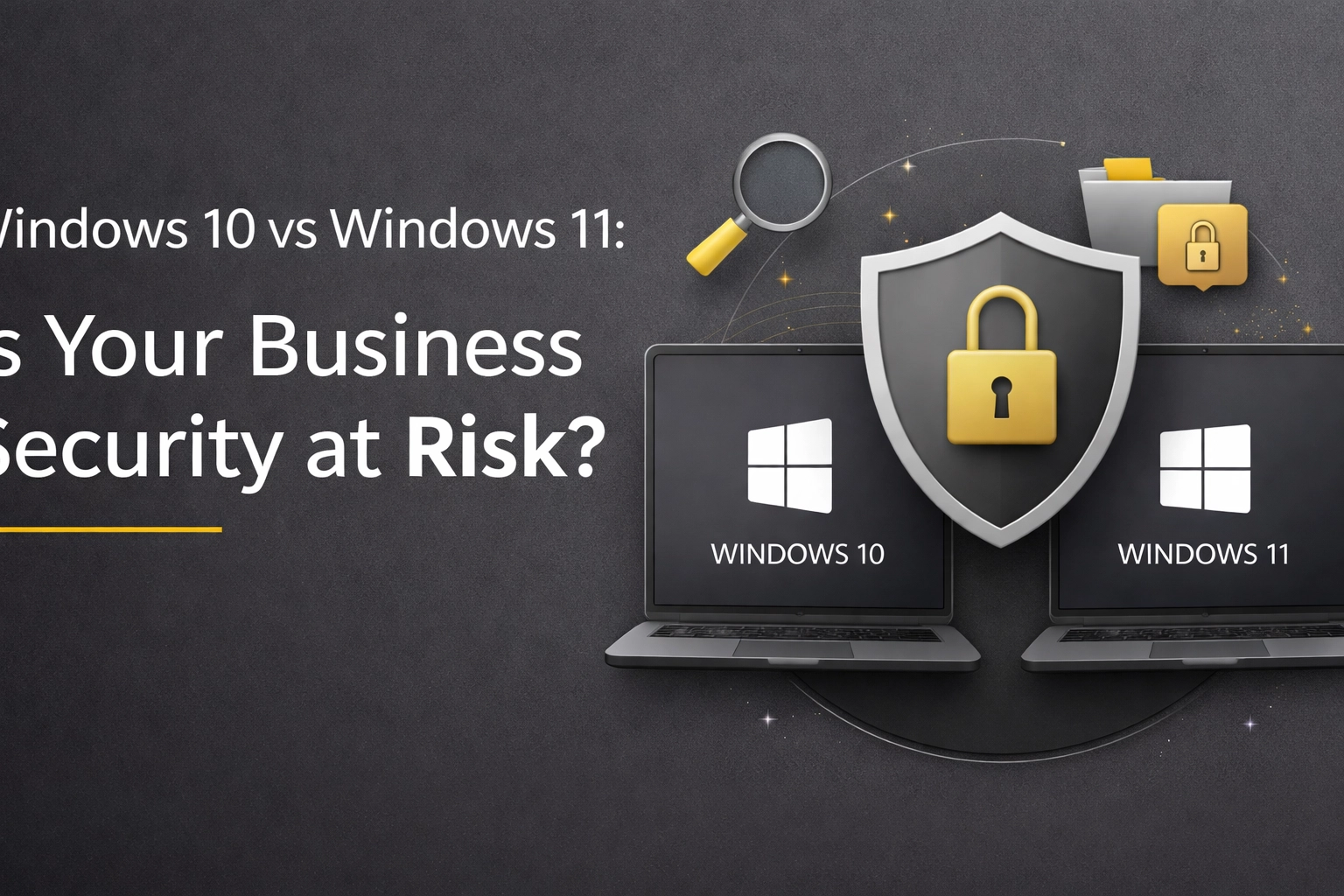
  • Windows 10 vs Windows 11: Is Your Business Security at Risk?

    Windows 10 vs Windows 11: Is Your Business Security at Risk?

    If you're still running Windows 10 across your business, you're definitely not alone. It's been a reliable workhorse for years, and the thought of upgrading an entire fleet of machines can feel like a massive headache. But here's the thing, October 2025 changed everything.

    Microsoft officially ended support for Windows 10, which means no more security patches, no more updates, and frankly, no more safety net. So the question isn't really "should we upgrade?" anymore. It's more like "how much risk are we comfortable with?"

    Let's break down what this actually means for your business and whether Windows 11 is worth the switch.

    The End of an Era: What "End of Support" Actually Means

    When Microsoft says a product has reached end of support, they're not just being dramatic. It means your operating system is now a sitting duck for cybercriminals.

    Every month, security researchers discover new vulnerabilities in software. Normally, Microsoft patches these within weeks. But with Windows 10? Those vulnerabilities stay open. Forever.

    Think of it like leaving your office door unlocked every night and hoping no one notices. Eventually, someone will.

    Open office door at night symbolizing cybersecurity vulnerabilities when using outdated Windows 10 systems.

    For businesses handling any kind of sensitive data, client information, financial records, employee details, this creates a ticking time bomb of liability. And if you're in a regulated industry, it gets even messier.

    Security Features: Where Windows 11 Pulls Ahead

    Let's get into the technical bits (don't worry, we'll keep it digestible).

    Windows 11 wasn't just a cosmetic refresh. Microsoft rebuilt the security architecture from the ground up, making several critical protections mandatory rather than optional.

    Hardware-Based Security

    Windows 11 requires TPM 2.0 (Trusted Platform Module) and Secure Boot. These aren't just fancy acronyms, they create what's called a "hardware root of trust." Essentially, your computer verifies its own integrity before it even loads the operating system.

    This stops firmware-level attacks, which are particularly nasty because they can survive even a complete hard drive wipe. Windows 10 supports these features but doesn't require them, meaning many older machines simply don't have them enabled.

    Virtualisation-Based Security

    Here's where things get clever. Windows 11 runs certain security processes in an isolated virtual environment. Even if malware somehow gets onto your system, it can't access these protected areas.

    Windows 10 can do this too, but it's switched off by default. Most businesses never enable it because they don't know it exists.

    Zero Trust Architecture

    You've probably heard "Zero Trust" thrown around in cybersecurity circles. The basic principle is simple: trust nothing, verify everything.

    Windows 11 has Zero Trust baked into its DNA. Every user, every device, every application has to prove it belongs before getting access to anything. Windows 10? It requires a lot of manual configuration to achieve something similar, and even then, it's not quite the same.

    Modern laptop with gold padlock illustrating advanced security features in Windows 11 for businesses.

    The Compliance Headache

    If your business operates in a regulated industry, healthcare, finance, legal services, property management, staying on Windows 10 creates serious compliance problems.

    Frameworks like GDPR, HIPAA, PCI-DSS, and Cyber Essentials all expect you to maintain supported, patched systems. Running an end-of-life operating system is essentially waving a red flag at auditors.

    We've seen this play out with several clients recently. One property services company we work with, similar to our friends over at propertyinventoryclerks.co.uk who handle sensitive tenant data daily, realised their cyber insurance was about to become invalid because their systems weren't compliant. The cost of upgrading suddenly seemed a lot more reasonable compared to losing coverage entirely.

    Speaking of insurance, many cyber insurance providers are now explicitly asking about operating system versions during underwriting. Some are flat-out refusing to cover businesses running unsupported software. Others are hiking premiums significantly.

    "But Our Computers Can't Run Windows 11"

    This is the elephant in the room, isn't it?

    Windows 11's hardware requirements are stricter than its predecessor. Many perfectly functional computers from 2017-2018 simply don't meet the spec. It feels wasteful to replace machines that still work fine.

    We get it. But here's the uncomfortable truth: those hardware requirements exist specifically because older machines lack the security features Windows 11 needs to protect you properly.

    You've essentially got three options:

    Option 1: Upgrade compatible machines, replace the rest. This is the most straightforward approach. Yes, it involves capital expenditure, but you're also getting newer, faster, more energy-efficient hardware.

    Option 2: Extended Security Updates (ESU). Microsoft offers paid extended support for Windows 10. It's not cheap, and it only buys you time: not a permanent solution. But it can help bridge the gap while you plan a proper migration.

    Option 3: Accept the risk. Some businesses genuinely have minimal security exposure and no compliance requirements. If you're a tiny operation with no sensitive data and no regulatory obligations, you might decide the risk is acceptable. But be honest with yourself about what "minimal exposure" actually means.

    Compliance documents and folders highlighting regulatory requirements for upgrading from Windows 10.

    The Real-World Impact

    Let's talk about what actually happens when businesses ignore this stuff.

    Ransomware attacks targeting small and medium businesses have exploded in recent years. Attackers specifically look for easy targets: and unsupported operating systems are like neon signs saying "vulnerable here."

    The average cost of a ransomware attack for a UK SME is now north of £100,000 when you factor in downtime, recovery costs, and reputational damage. That's before any regulatory fines if personal data was involved.

    Compare that to the cost of upgrading your systems. Suddenly the maths looks very different.

    Making the Transition Smoother

    Look, we're not going to pretend migrating to Windows 11 is a five-minute job. It requires planning, testing, and careful execution. But it doesn't have to be the nightmare you're imagining.

    Here's what a sensible approach looks like:

    Audit your current estate. Which machines are compatible? Which need replacing? What software do you run that might have compatibility issues?

    Plan in phases. You don't have to upgrade everyone simultaneously. Start with your most critical systems or most security-sensitive departments.

    Test thoroughly. Run Windows 11 on a handful of machines first. Make sure your line-of-business applications work properly. Iron out any kinks before rolling out company-wide.

    Train your team. Windows 11's interface is different enough to cause confusion. A bit of advance preparation prevents a flood of support tickets on day one.

    Consider your wider infrastructure. This is often a good opportunity to review your backup strategy, update your security policies, and tighten up access controls while you're at it.

    Business planning session showing the process of transitioning to Windows 11 in a professional office setting.

    The Bottom Line

    Windows 10 served businesses well for a decade. But its time has passed, and clinging to it now creates genuine risk: both from a cybersecurity perspective and a compliance standpoint.

    Windows 11 isn't perfect, and the hardware requirements are frustrating. But the security improvements are substantial and designed to address the threats businesses actually face in 2026.

    If you're still weighing up your options or feeling a bit overwhelmed by the whole thing, that's completely normal. Technology decisions like this affect your entire operation, and getting them wrong is costly.

    We help businesses across the UK navigate exactly these kinds of transitions. If you'd like to chat through your specific situation: no pressure, just a straightforward conversation about your options: you can book a discovery call with us. We'll take a look at what you're working with and help you figure out the smartest path forward.

    Whatever you decide, don't just ignore it and hope for the best. The cyber threat landscape doesn't reward wishful thinking.

  • Are Cloud Solutions Right for Your Small Business? Pros, Cons, and What to Know

    Are Cloud Solutions Right for Your Small Business? Pros, Cons, and What to Know

    If you've been running a small business in the UK over the past few years, you've probably heard the phrase "move to the cloud" more times than you can count. It's become one of those buzzwords that gets thrown around in every tech conversation, marketing email, and LinkedIn post.

    But here's the thing: beyond the hype, cloud solutions genuinely have transformed how small businesses operate. The question isn't really whether cloud technology is useful. It's whether it's the right fit for your business, right now.

    Let's break it down properly. No jargon overload, no sales pitch: just the honest pros, cons, and practical considerations you need to make an informed decision.

    What Exactly Are Cloud Solutions?

    Before we dive into the nitty-gritty, let's make sure we're on the same page about what "the cloud" actually means.

    In simple terms, cloud solutions are services, software, and storage that live on remote servers accessed via the internet: rather than on physical hardware sitting in your office. Think Microsoft 365, Google Workspace, Dropbox, or even your accounting software like Xero or QuickBooks Online.

    Instead of buying expensive servers, installing software on every computer, and hiring someone to maintain it all, you pay a subscription fee and access everything online. The cloud provider handles the heavy lifting: security updates, backups, maintenance, and upgrades.

    Minimalist office desk with cloud visuals illustrates cloud solutions for small business IT support in the UK

    The Pros: Why Small Businesses Are Making the Switch

    1. Significant Cost Savings

    Let's start with the one that matters most to small business owners: money.

    Traditional IT setups require substantial upfront investment. We're talking servers, networking equipment, software licences, and potentially a dedicated server room with proper cooling. Then there's the ongoing cost of maintenance, repairs, and eventual replacements.

    Cloud solutions flip this model on its head. You pay as you go, typically on a monthly or annual subscription basis. No massive capital expenditure, no surprise repair bills, and no hardware that becomes obsolete in three years.

    For many small businesses, this predictable, scalable cost structure is a game-changer. It frees up capital that can be invested back into growth rather than sitting in a server cupboard.

    2. Scale Up (or Down) as Needed

    Business isn't static. One month you might be onboarding five new employees; the next, you might be streamlining operations. Traditional IT infrastructure doesn't handle these fluctuations gracefully: you either have too much capacity sitting idle or not enough when you need it.

    Cloud platforms let you adjust resources almost instantly. Need more storage? Click a button. Reducing your team size? Scale back your subscriptions. It's flexibility that physical infrastructure simply can't match.

    3. Work From Anywhere

    The pandemic proved that remote work isn't just possible: for many businesses, it's preferable. Cloud solutions make this seamless. Your team can access files, collaborate on documents, and use business applications from anywhere with an internet connection.

    Whether your employees are working from home in Manchester, a coffee shop in Brighton, or visiting clients across the country, they've got everything they need at their fingertips. Real-time collaboration means fewer email chains, fewer version control nightmares, and more productive teamwork.

    Remote team members collaborating from home, cafe, and coworking space, highlighting cloud-powered business growth and flexibility

    4. Better Security Than You Could Afford Alone

    Here's a stat that might surprise you: reputable cloud providers typically offer better security than most small businesses could implement independently.

    Why? Because companies like Microsoft, Google, and Amazon invest billions into cybersecurity. They employ dedicated security teams, implement enterprise-grade encryption, and stay ahead of emerging threats. They handle automatic security patches and updates: no more hoping your IT person remembered to install the latest fix.

    Your data is also stored offsite, meaning if your office suffers a break-in, fire, or flood, your business-critical information remains safe and accessible.

    5. Access to Enterprise-Level Tools

    Not long ago, sophisticated business tools like advanced analytics, AI-powered insights, and comprehensive project management platforms were reserved for companies with deep pockets. Cloud computing has democratised access to these technologies.

    Small businesses can now leverage the same powerful tools as their larger competitors, levelling the playing field in ways that weren't possible a decade ago.

    6. Simplified Compliance

    If you're handling customer data: and let's face it, most businesses are: you need to comply with GDPR and other UK regulations. Top-tier cloud providers build compliance features directly into their platforms, making it easier to meet your legal obligations without becoming a data protection expert yourself.

    The Cons: What You Need to Consider

    Now for the other side of the coin. Cloud solutions aren't perfect, and they're not right for every situation.

    1. Internet Dependency

    This one's obvious but worth stating: cloud services require internet connectivity. If your connection goes down, so does your access to critical business tools and data.

    For businesses in areas with unreliable internet, or those that simply can't afford any downtime, this dependency is a genuine concern. It's worth considering backup internet solutions or ensuring you have offline capabilities for essential functions.

    Unplugged ethernet cable with soft glow, symbolizing challenges of internet dependency for small business cloud solutions

    2. Ongoing Costs Add Up

    While the pay-as-you-go model eliminates large upfront costs, those monthly subscriptions accumulate over time. Depending on your usage and the services you need, long-term cloud costs can sometimes exceed what you'd have spent on traditional infrastructure.

    It's essential to do the maths for your specific situation. What looks affordable at £20 per user per month becomes significant when you multiply it across your team and add in additional services.

    3. Vendor Lock-In

    Once you've built your workflows around a particular cloud platform, switching to another provider isn't always straightforward. Your data might be stored in proprietary formats, your team will need retraining, and migration can be time-consuming and disruptive.

    Before committing to a cloud provider, consider how easy it would be to leave if you needed to. Look for providers that support standard file formats and offer straightforward data export options.

    4. Data Privacy and Control

    When your data lives on someone else's servers, you're trusting that provider to handle it responsibly. For some businesses: particularly those dealing with sensitive client information: this loss of direct control raises legitimate concerns.

    It's crucial to understand exactly where your data is stored (UK data centres are preferable for GDPR compliance), who has access to it, and what happens to it if you terminate your service.

    5. The Transition Challenge

    Moving to the cloud isn't as simple as flipping a switch. It requires planning, potential process changes, and employee training. If not managed properly, the transition period can disrupt operations and frustrate your team.

    This is where working with experienced IT consultants makes a real difference. At Evestaff IT Support and Consultancy, we've helped numerous businesses navigate this transition smoothly: including our sister company, Property Inventory Clerks, who rely on cloud solutions daily to manage property documentation and collaborate with clients across the UK.

    How to Decide If Cloud Is Right for You

    There's no universal answer here. The right choice depends on your specific circumstances. Ask yourself these questions:

    • What's your internet reliability like? If it's patchy, cloud-first might cause headaches.
    • How important is remote working? If your team needs flexibility, cloud is almost essential.
    • What's your budget situation? Consider both short-term cash flow and long-term total cost.
    • How sensitive is your data? Some industries have specific requirements that may favour on-premises solutions.
    • Do you have IT expertise in-house? Cloud can significantly reduce your IT management burden.

    For most small businesses in 2026, a hybrid approach often makes the most sense: leveraging cloud solutions where they add clear value while maintaining some local infrastructure for specific needs.

    The Bottom Line

    Cloud solutions offer genuine benefits for small businesses: cost flexibility, scalability, enhanced collaboration, and access to tools that were once out of reach. But they also come with considerations around internet dependency, ongoing costs, and data control that shouldn't be dismissed.

    The smartest move? Don't make this decision alone. Talk to someone who understands both the technology and the realities of running a small business.


    Ready to figure out if cloud solutions are right for your business? We'd love to have a no-pressure chat about your specific situation, challenges, and goals.

    Book a free discovery call, let's Talk

  • The Top 5 Questions You Need To Ask Any IT Provider in 2026

    The Top 5 Questions You Need To Ask Any IT Provider in 2026

    Choosing an IT provider isn't what it used to be. Gone are the days when you could simply ask "Can you fix my computer?" and call it due diligence. In 2026, your IT partner needs to be a strategic ally: someone who understands cybersecurity threats, cloud infrastructure, compliance requirements, and how to keep your business running when things go sideways.

    Whether you're switching providers, hiring your first IT support team, or just want to make sure your current partner is still up to scratch, these five questions will help you separate the pros from the pretenders.

    Let's get into it.

    1. What Service Level Agreements (SLAs) and Support Availability Do You Provide?

    This is the bread and butter of any IT relationship. An SLA isn't just a piece of paper: it's a commitment. It tells you exactly what you can expect when something breaks, and more importantly, how quickly they'll fix it.

    Here's what you need to nail down:

    Response times: When you raise a ticket, how long before someone actually looks at it? There's a big difference between "we'll acknowledge your issue within 4 hours" and "we'll have someone working on it within 30 minutes."

    Availability: Do they offer 24/7/365 support? If your server crashes at 2am on a Bank Holiday, will anyone pick up the phone? For some businesses, out-of-hours support is a nice-to-have. For others, it's absolutely critical.

    Mean Time to Recovery (MTTR): This metric tells you how quickly they can get your systems back online after a failure. A provider who tracks and shares their MTTR is one who takes accountability seriously.

    Dedicated account management: Will you have a single point of contact who knows your business, or will you be passed around a call centre every time you ring?

    Don't be shy about asking for specifics. A good IT provider will have these figures ready to go. If they start shuffling papers and looking uncomfortable, that tells you everything you need to know.

    Matte black stopwatch symbolizing fast IT provider response times and reliable service level agreements in 2026.

    2. What Is Your Security Posture and Compliance Track Record?

    Cybersecurity isn't optional anymore. With ransomware attacks becoming more sophisticated and data breaches making headlines weekly, you need an IT provider who takes security as seriously as you do.

    Start by asking about their documented cybersecurity policies. Do they conduct regular penetration testing? How often do they patch systems? What's their approach to vulnerability management?

    Then dig into compliance. Depending on your industry, you might need to meet GDPR, PCI DSS, ISO 27001, or other regulatory standards. Your IT provider should not only understand these requirements but actively help you achieve and maintain compliance.

    Ask for evidence. Request copies of recent security audits or SOC 2 reports. A reputable provider will be happy to share these: they've worked hard to earn them.

    Also worth asking: what happens if there's a breach? Do they have a formal incident response plan? How quickly can they contain and remediate threats? In 2026, it's not a question of if you'll face a cyber threat, but when.

    3. How Do You Handle Infrastructure and Cloud Strategy?

    Cloud computing has matured significantly, but that doesn't mean it's one-size-fits-all. Your IT provider should be able to advise on the right mix of cloud, on-premises, and hybrid solutions for your specific needs.

    Key questions to ask:

    Which cloud providers do they work with? AWS, Microsoft Azure, and Google Cloud Platform are the big three, but expertise varies. Make sure they have genuine experience with the platform that makes sense for your business.

    Are your services optimised for cost efficiency? Cloud bills can spiral quickly if not managed properly. A good provider will help you right-size your resources and avoid paying for capacity you don't need.

    What redundancy and failover systems are in place? If a data centre goes down, what happens to your data and applications? You need to understand their disaster recovery capabilities and how quickly they can switch to backup systems.

    Is there a risk of vendor lock-in? Some providers build solutions that tie you to their services indefinitely. That might be fine: or it might become a problem down the line. Either way, you should know what you're signing up for.

    Padlock on dark surface representing IT security, data protection, and cybersecurity due diligence by providers.

    4. What Relevant Experience and Credentials Do You Have?

    Experience matters. You want a provider who has worked with businesses like yours: similar size, similar challenges, similar industry.

    Ask for client references. A confident provider will happily connect you with existing customers who can speak to their capabilities. If they're reluctant to provide references, consider that a red flag.

    Look at their technical certifications and vendor partnerships. Microsoft Partner status, Cisco certifications, AWS accreditations: these credentials demonstrate investment in training and a commitment to staying current.

    Also worth asking: how long have they been in business? IT providers come and go. You want a partner with staying power, not one that might disappear next year.

    Case studies are gold here. Ask to see examples of projects they've delivered for businesses in your sector. This gives you a sense of their problem-solving approach and whether they can genuinely deliver what they promise.

    5. How Do You Monitor Performance and Maintain Business Continuity?

    Reactive IT support is outdated. In 2026, you need a provider who spots problems before they become emergencies.

    Ask about their system monitoring tools. Do they use advanced monitoring platforms that track performance 24/7? Are they leveraging AI for predictive maintenance and threat detection? The best providers catch issues before you even notice something's wrong.

    Business continuity planning is equally important. Does your potential provider have a fully tested disaster recovery plan? What's their backup strategy? How often do they test restores to ensure backups actually work when needed?

    Request their historical uptime metrics. Any provider worth their salt will track this data and be proud to share it. If they can't tell you their average uptime over the past year, that's a concern.

    Remember: downtime costs money. Every hour your systems are offline is an hour your team can't work, your customers can't buy, and your reputation takes a hit.

    Interconnected server towers and cloud icons visualizing modern IT infrastructure, cloud strategy, and uptime.

    Bonus: Don't Forget the Human Element

    Beyond these five questions, pay attention to how the provider communicates. Are they explaining things clearly, or hiding behind jargon? Do they listen to your concerns, or just push their standard packages?

    The best IT relationships are built on trust and transparency. You want a partner who treats your business as if it were their own.


    At Evestaff IT Support and Consultancy, we believe in straight-talking IT support that actually makes sense. We've helped businesses across the UK: from growing startups to established firms like Property Inventory Clerks: build robust, secure, and scalable IT infrastructure.

    If you're evaluating IT providers and want to see how we stack up, we'd love to chat. No hard sell, no jargon: just an honest conversation about what your business needs.

    Book a free discovery call, let's Talk – https://itandconsultancy.co.uk/lets-talk/